Skip to content

Changelog

New features, improvements, and fixes in Syncroly, dated the day each one ships.

Latest update

September 2026

  1. List your practice's insurance types and payment options

    Pick the types of insurance and payment your practice works with, such as in-network PPO plans or Kids Medicaid & CHIP at a dental office. Patients and pet owners see them on your card in their referral link, and other practices see them on your profile.
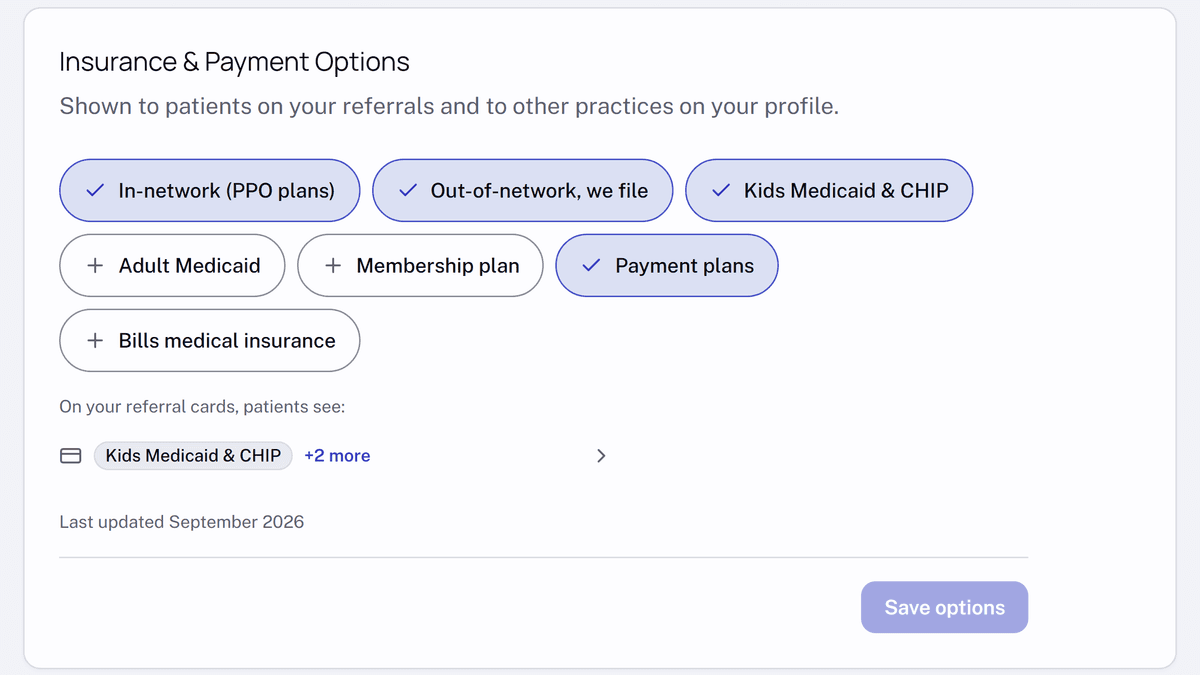
    The Insurance & Payment Options section in Practice settings for a dental practice. In-network (PPO plans), Out-of-network, we file, Kids Medicaid & CHIP and Payment plans are selected; below them, a preview of the pay line patients see on the referral card.
  2. Preview your referral card in Practice settings

    Owners and administrators can now see the card a patient or pet owner gets when a referral sends them to your practice. In settings, under "Practice", open "General" and select "Preview your referral card" at the top of the page. It shows your contact details, directions and payment options, taken from your saved settings.

  3. Search two specialties at once when choosing recipients

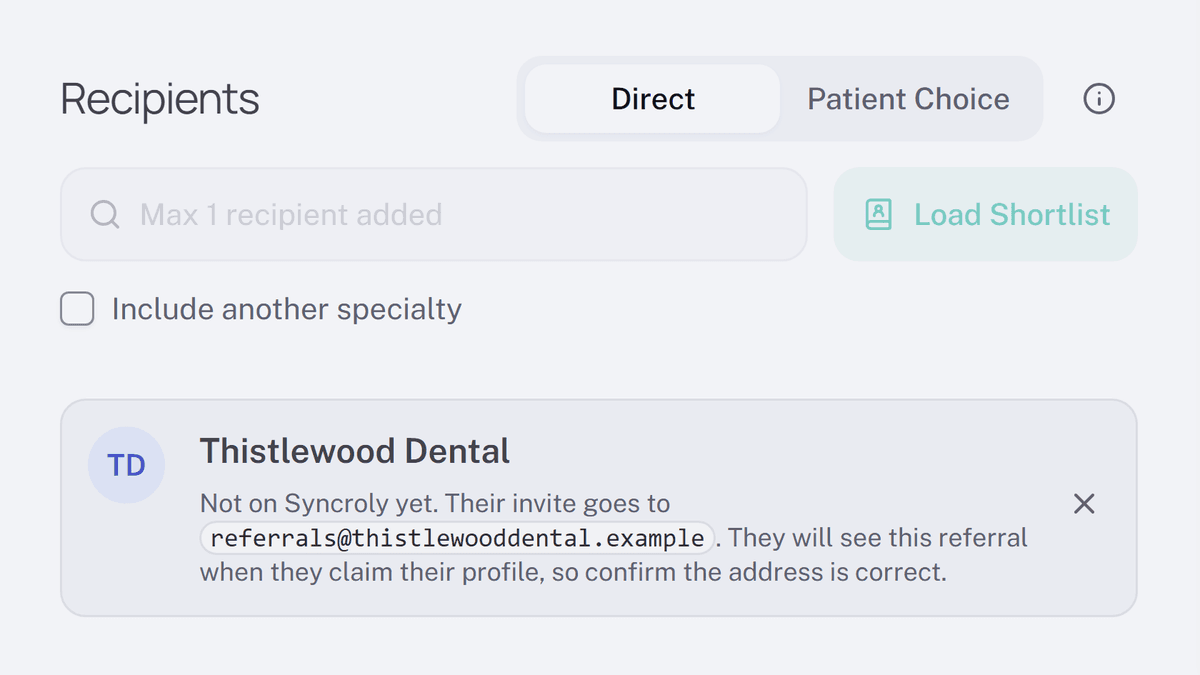
    Tick "Include another specialty" under recipient search and choose a second specialty to find, for example, an oral surgeon and a general dentist in one list.

  4. Type a date instead of scrolling a calendar

    The "Date of birth" field, and "Birth date" on veterinary referrals, now take a typed date, with the calendar still one click away.

Changelog | Syncroly