Direct referrals can now go to providers not on Syncroly
Choice referrals could already include a practice that has not joined Syncroly. Now a Direct referral can go to one too: we email them that a referral is waiting, and they set up a free profile to open it.
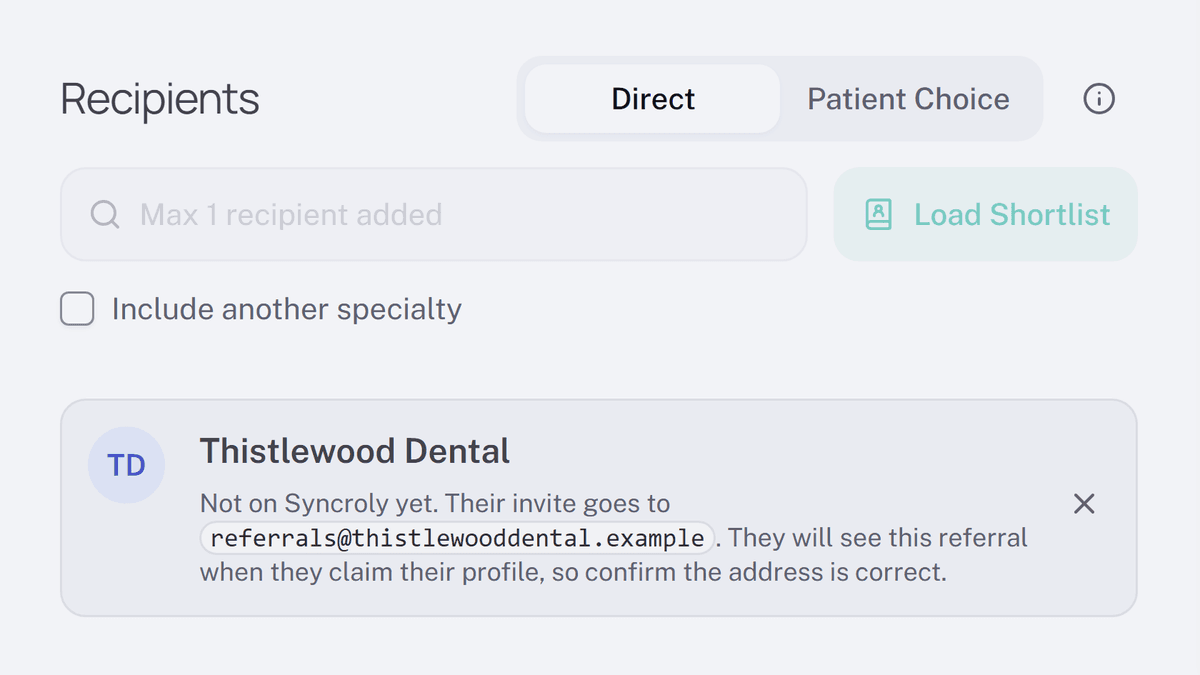
Until now, a practice not on Syncroly could only be one of the options on a Choice referral. Now you can send it a Direct referral as well: add it as an external contact, make it the recipient, and send it the usual way.
- Start a referral and choose
Directas the referral type. - Search for the practice by name. If the search finds nobody you can add, select
Add as external contact?and enter their name and email address. Their card on the form shows the address the invite goes to. - Select
Confirm and send referral. The practice gets an email saying a referral is waiting, with a link to set up a free profile and open it.
The same email now goes out on a Choice referral when the person you referred shares it with an external contact you added, and when you send it to that contact yourself from the referral's detail page.