Notification preferences
Syncroly emails you when referrals move, and you decide which of those updates you want. This guide covers where the toggles live, what each one covers, and which mail has no toggle.
On this page
Browse categories
Where the toggles live
In settings, under Preferences, open Notifications. Every role has this page, and turning an email off changes what you receive, never what your teammates receive.
Each row is one kind of update with an Email switch beside it. A change saves the moment you flip the switch and the page confirms it below the card, so there is no save button.
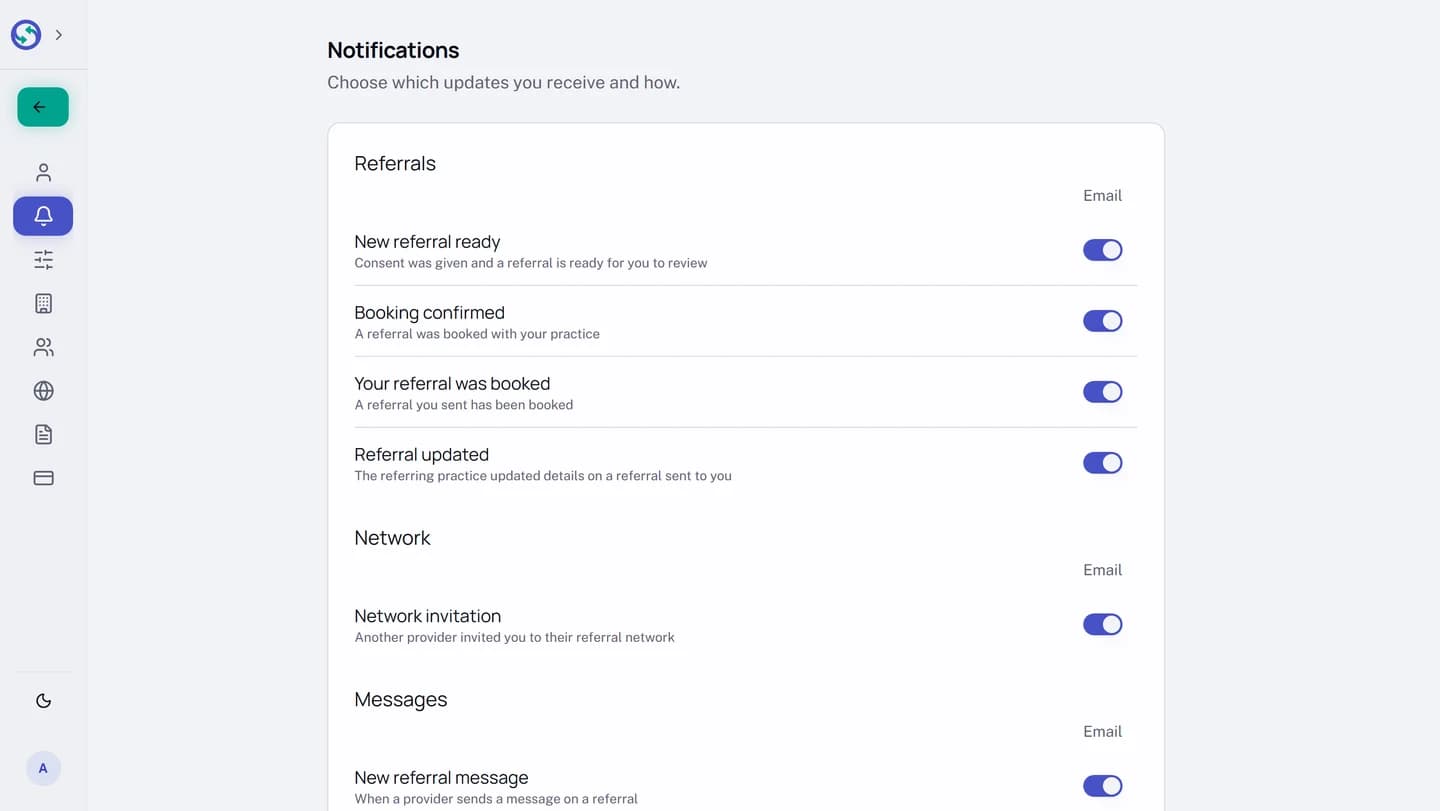
What you can turn off
Everything with a toggle is also visible inside Syncroly, so muting one loses you nothing you cannot see on screen: the action inbox on Overview, the received list, your drafts, and the unread badge on Messages. The toggles come in three groups.
Referrals
New referral ready. Consent was given and a referral is ready for you to review.Booking confirmed. A referral was booked with your practice.Your referral was booked. A referral you sent has been booked.Referral updated. The referring practice corrected details on a referral sent to you. The same change also appears as a banner on the referral itself, so this email is a convenience, not the only copy.Draft sent to you for review. A colleague prepared a referral for you to review and send. Your drafts list marks it as waiting either way, so this one is a nudge rather than the only copy.
Network
Network invitation. Another provider invited you to their referral network.
Messages
New referral message. A provider sent a message on one of your referrals.New direct message. A provider sent you a direct message.
What has no toggle
The rest of Syncroly's mail has no switch, on purpose. It falls into three kinds:
- Security mail. Verification codes, password reset links, and the alert that your password was changed.
- Billing mail. Notices that arrive before money moves, and the notice when your subscription changes.
- Operational alerts. Most importantly, the alert that a patient's referral link could not be delivered, which is your only sign that the patient never received it.
Emails that go to your patients, such as their referral links and reminders, are not yours to mute here either; they belong to the referral itself.
Why did I get this email?
If the email matches one of the toggle rows above, flipping that toggle off ends them. If it matches none of them, it is one of the kinds with no toggle, sent because something on your account needed your attention.
If you are not a provider and a referral link landed in your inbox, read You got a referral link, what happens next instead.