What Syncroly does and who it's for
A referral in Syncroly is a secure link both practices can open, track, and act on. Here is how the pieces fit before you send or receive your first one.
On this page
Browse categories
What a Syncroly referral is
A referral in Syncroly is a secure link, not a fax, a phone call, or a paper slip. The referring practice fills in one form: who is being referred, why, and which practice or practices should see it. Syncroly then sends the patient a link, tells the receiving practice when the referral is ready for them, and records each step.
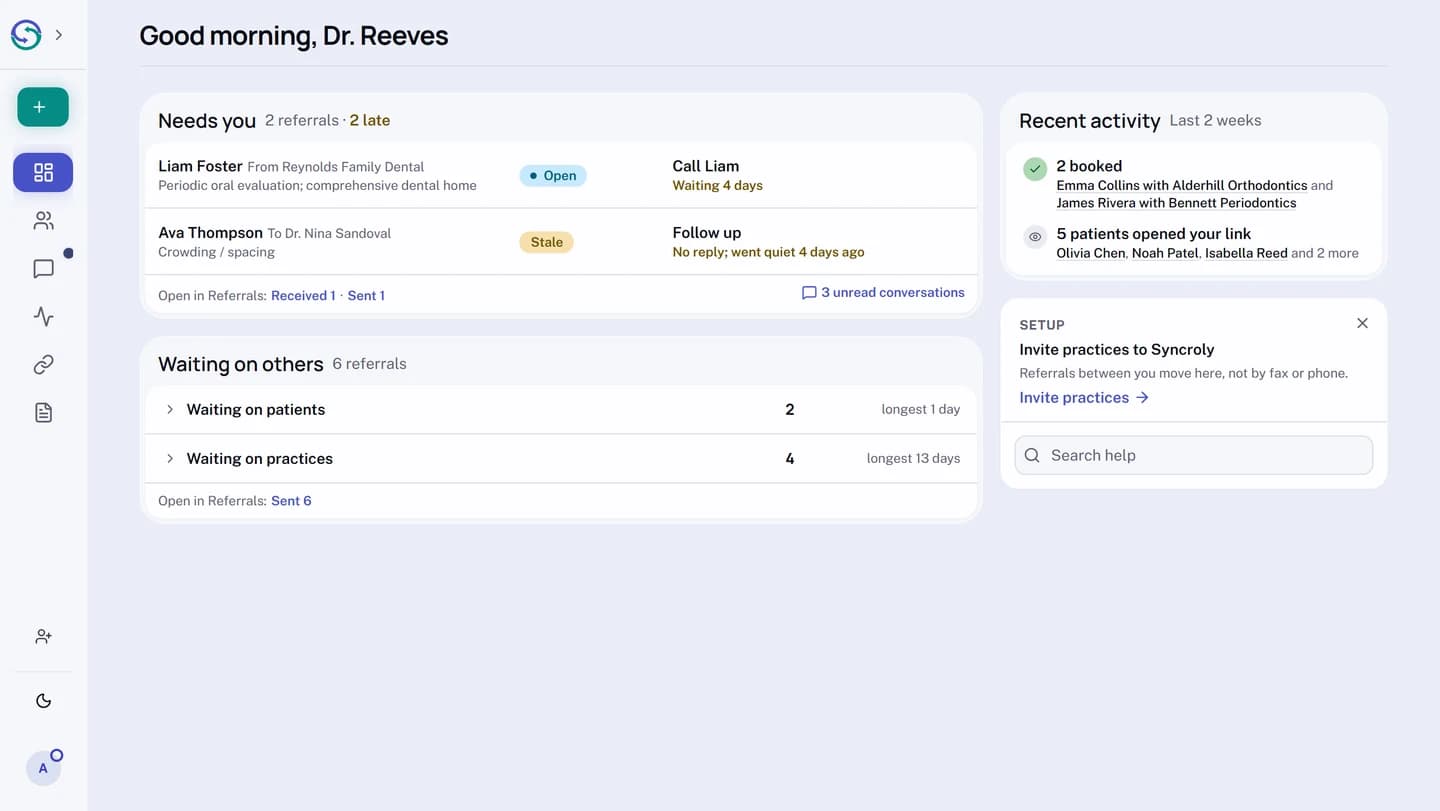
Both practices see the same referral move from sent to viewed to booked. The referring practice knows whether the patient followed through; the receiving practice knows who sent them and why before the first phone call.
Syncroly runs alongside the practice software you already use. It opens in a browser, so there is nothing to install and nothing to integrate it with.
Who uses Syncroly
The referring practice creates the referral and chooses who receives it. Owners, administrators, practitioners, and coordinators can all send.
The receiving practice gets an email with a secure link to the referral. It can see the referral in its inbox, contact the patient, and record the booking. A receiving practice does not need an existing account to receive.
The patient or pet owner gets a link by email (and by text message where enabled). They confirm the referral, and in some cases choose which practice to see. They never need an app or an account.
Two ways to send
Direct sends the referral to one practice. The referring practice confirms consent on the patient's behalf when it sends, so the receiving practice can open the referral right away.
Choice (called Patient Choice for dental and mental health, Owner Choice for veterinary, and Choice for the General category) gives the patient a short list of practices to pick from. The receiving practice sees the referral once the patient chooses it and shares it with them.
Categories
Your practice belongs to one category, and the referral form adapts to it.
- Dental referrals carry a tooth chart with per-tooth findings, in the tooth numbering system you prefer.
- Veterinary referrals carry the pet's name, species, breed, birth date, sex, weight, and coat color.
- Mental health referrals carry risk factors, with a field to describe one the list does not name.
- General referrals add no category-specific fields, for any practice that sends and receives referrals.
Every category shares the same reasons-for-referral list per specialty, a notes field, the same secure link, and the same tracking.
Free and Pro
The Free plan sends and receives referrals without a limit, for one person at your practice, with up to three practices on a Choice referral.
Pro Solo adds shortlists of the practices you refer to most, the audit log, referral analytics, a public referral form you can put on your website, and your practice logo on what patients see. Pro Teams adds all of that, plus seats for your team, Front desk, and assignment of received referrals to a team member. Current prices are on the Pricing section of the Syncroly website.
For the full picture of the plans, the 45-day trial, and how billing works, see Plans, billing, and what Pro unlocks.
Where to start
- If a practice referred a patient to you, open the email you received.
- Follow You received a referral, what to do from there.
- If you want to send referrals, create an account on the Syncroly website.
- Complete your practice setup.
- Send your first referral from
New Referralin the sidebar.