You received a referral, what to do
A practice referred a patient to you and Syncroly sent you a secure link. This guide walks from that email to the referral in your inbox, for providers who already have a Syncroly account.
On this page
Browse categories
The email you received
A practice that uses Syncroly referred a patient to you, and Syncroly emailed you a secure link to the referral. The email names the referring provider.
The link works for 30 days. After that the page says the link has expired, and the referring practice can send a new one.
Open the link
Some of these emails open the referral in your inbox once you sign in, rather than the page below. If yours does, skip to Find the referral in your inbox.
- In the email, open the referral link.
- Check the page titled
New Referral for You. It shows the referring provider, the reason for the referral, and when it was sent.
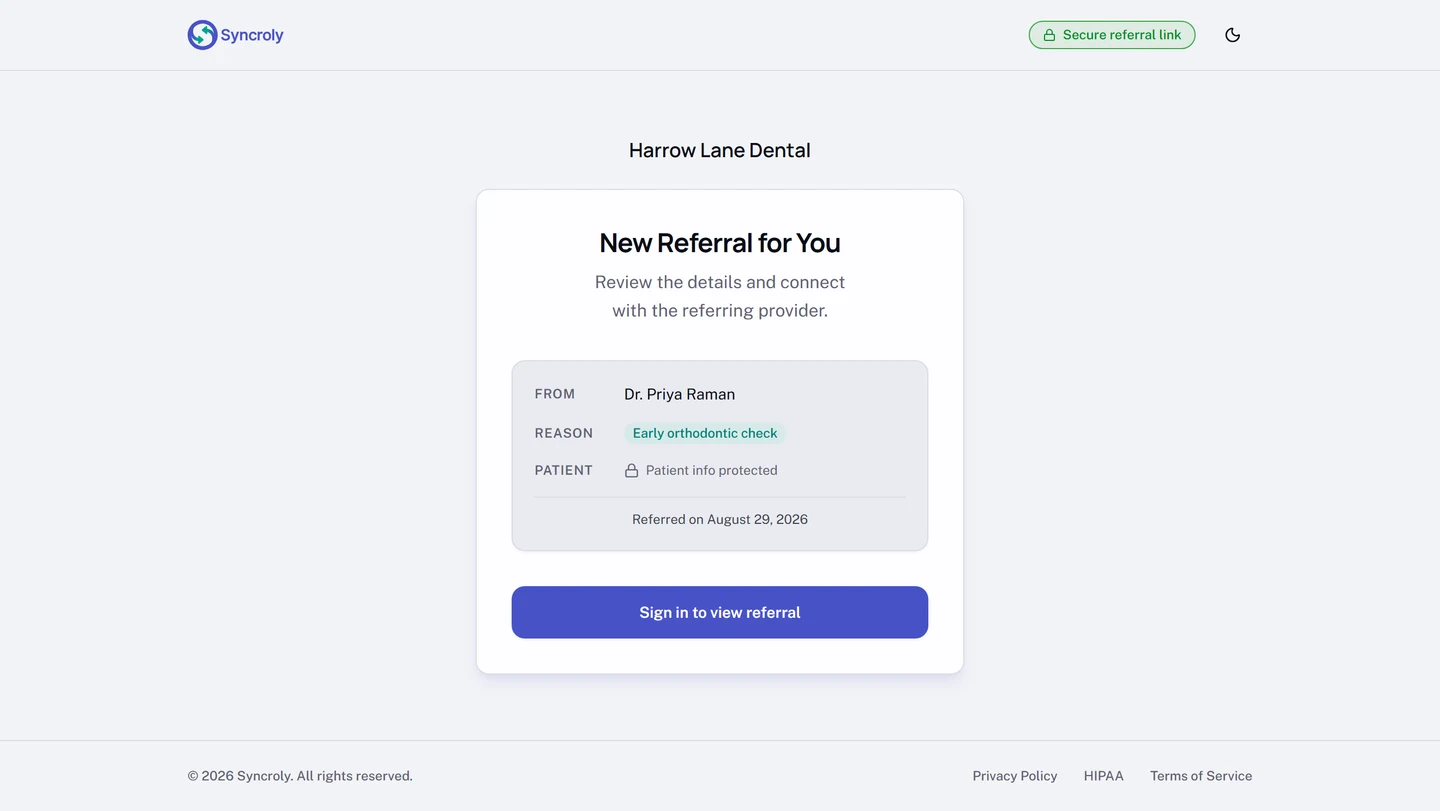
The page names no patient. Patient details open once you sign in, so a forwarded email cannot expose them. Why you can't see the patient's details yet covers what opens when.
Sign in to open the referral
- On the referral page, select
Sign in to view referral. Already signed in on this browser? The button readsView Referral. - Sign in with your Syncroly email and password. The referral opens as soon as you are signed in.
Find the referral in your inbox
- In the sidebar, open
Referrals. - Select the
Receivedtab. - Search for the patient by name.
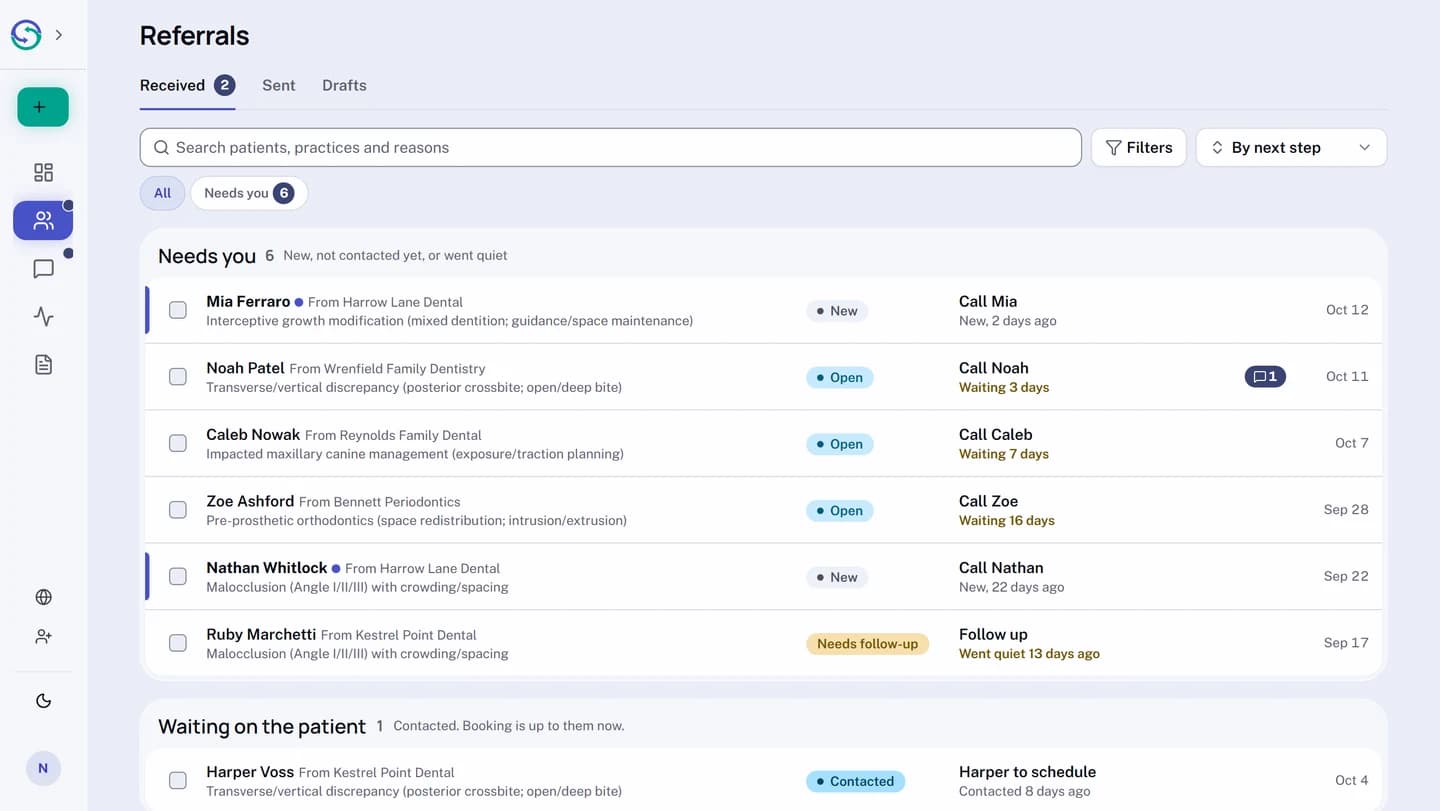
The search matches the patient, the referring practice, and the reason. Every row names where the referral came from, so you can also find it by reading down the list. A referral nobody at your practice has opened is marked New.
What to do next
- Open the referral to see the patient's contact details, the reason, and any notes, files, or chart the referring practice attached.
- Contact the patient to schedule.
- Select
Mark contactedso the referring practice can see that you reached out. If it later showsNeeds follow-up, contact the patient again and selectMark contactedagain. - When the appointment is booked, select
Mark booked. The referring practice seesBookedon their side.
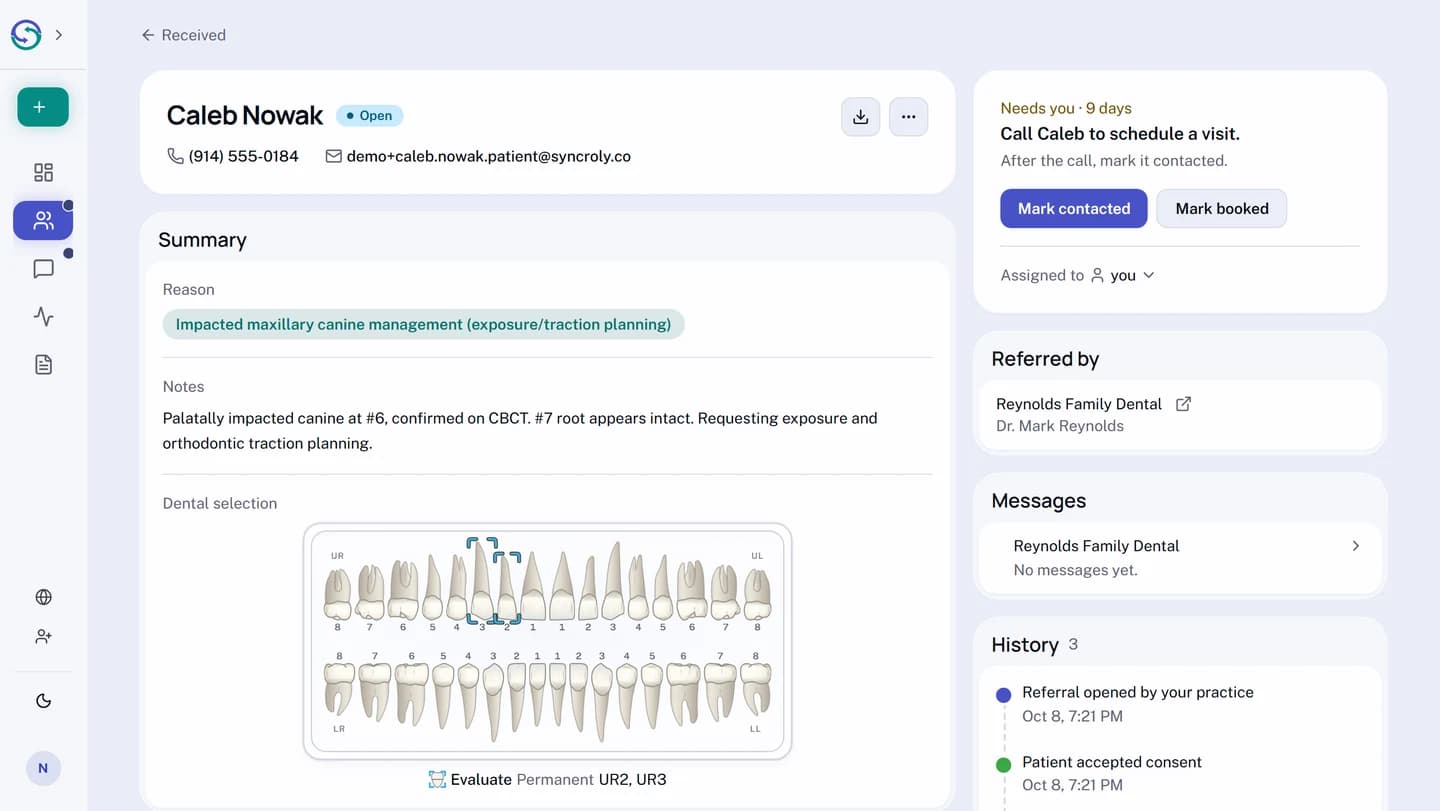
If the patient booked with you from their own referral link, the referral already shows Booked and the button reads Confirm the booking instead. Select it once you can see the appointment on your schedule.