Shared drafts
A referral you cannot finish in one sitting can be saved and picked up later, by you or by a colleague: the front desk starts it with the patient on the phone, the practitioner finishes the clinical half. Here is how saving, sharing, and the 30-day clock work.
On this page
Browse categories
What a draft is, and is not
A draft is a referral in progress, shared inside your practice rather than private to whoever started it. A coordinator can enter the contact details while the patient is on the phone, and a practitioner can add the clinical half later.
What a draft is not is a referral. Nothing about it leaves your practice: it carries no patient link, no recipient can see it, and it records nothing in the activity log. Sending it runs the ordinary send, at which point the draft is deleted and a real referral exists.
Save once, then the form saves itself
- On the referral form, fill in what you have.
- At the bottom of the form, select
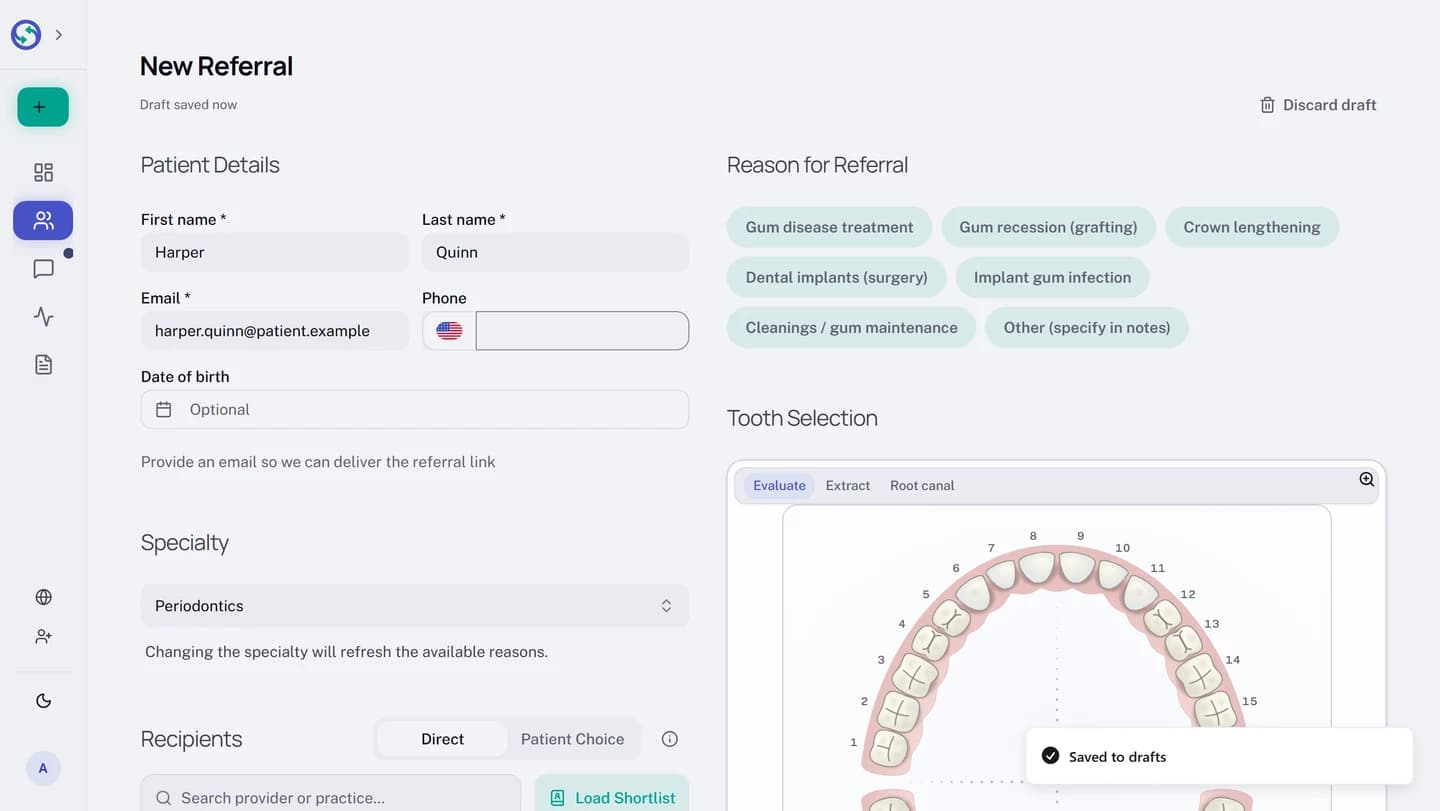
Save as draft. ASaved to draftstoast confirms it.
Nothing persists before that first save, so a form you abandon leaves nothing behind. After it, the Save as draft button goes away and the form autosaves as you work. A quiet status line above the form tells you where you stand: Saving… while a save is in flight, Draft saved with the time when it lands, and Changes not saved. with a Retry when a save failed and retrying could work.
Drafts hold patient details, so they are kept for 30 days from the last edit and then deleted along with any files staged with them. An unchanged form is never rewritten and opening a draft to read it writes nothing, so reading one does not restart the 30 days.
Find your drafts
- In the sidebar, open
Sent. - At the top of the page, select
Drafts. The entry carries your open-draft count, and hides the count at zero.
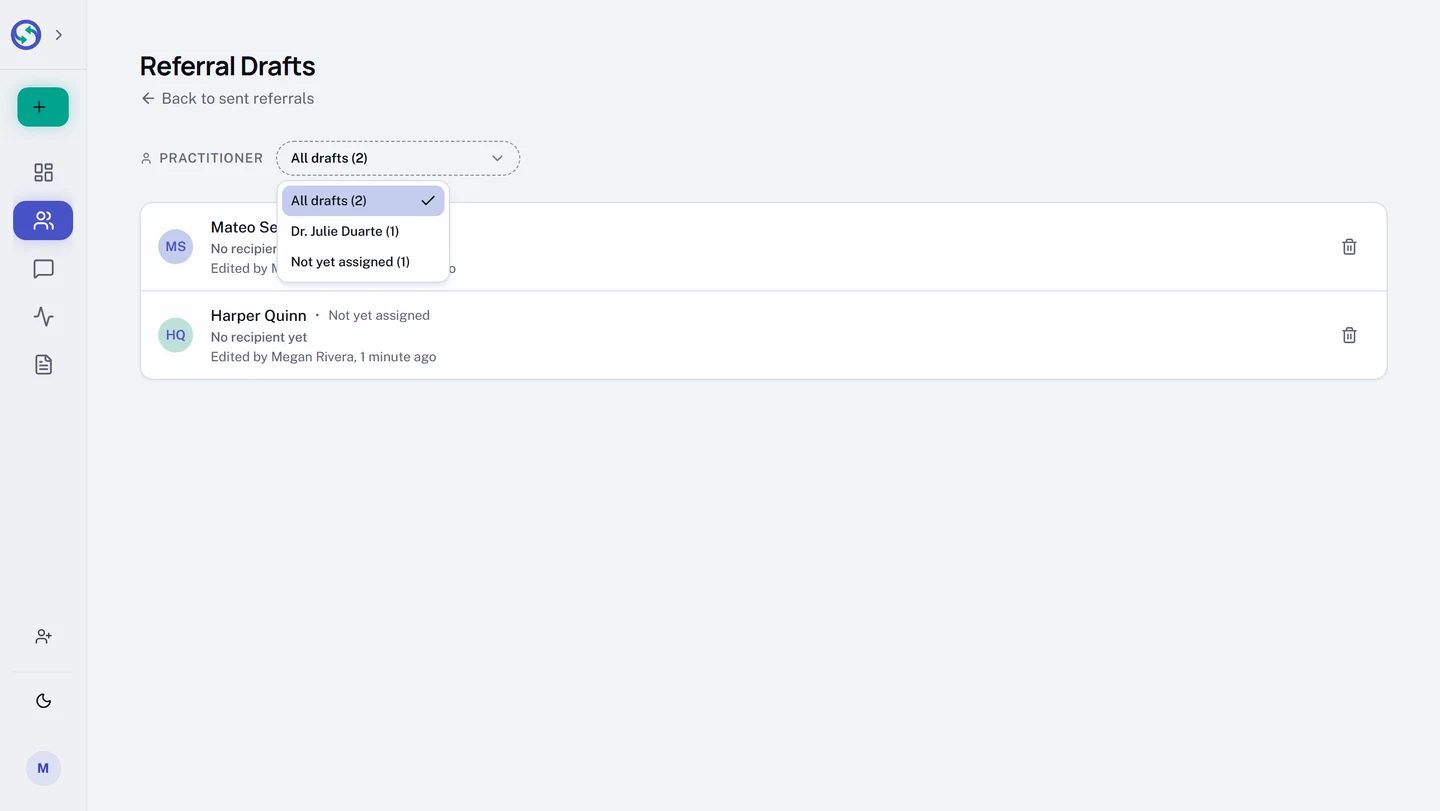
The Referral Drafts page lists your drafts newest-edited first, each row naming the practitioner of record it is for, who edited it last and when, and its recipients so far. A PRACTITIONER filter above the list narrows to one clinician's drafts: it offers All drafts with a count, each practitioner who actually has drafts, and Not yet assigned for drafts that name nobody yet. Buckets that hold nothing are not offered.
Who sees which drafts follows the same rule as sent referrals. Coordinators always see the whole practice's drafts, and owners and administrators do too unless they have limited their workspace to their own referrals. A practitioner whose practice keeps referrals narrowed to their own sees drafts that name them as practitioner of record, plus drafts that name nobody yet, which is exactly how a coordinator-started draft reaches the clinician who has to finish it. Naming a practitioner on a draft moves it out of the other practitioners' view. See Inbox visibility: who on your team sees what.
A row can also say it is waiting for somebody. Where a practice requires a clinician to send, a colleague prepares the referral and hands it to that clinician, and from then the row carries a Waiting for line naming them and the date. On that clinician's own list the same row reads Waiting for your review. See Send a referral for clinician review.
Two people, one draft
When two people edit the same draft, whoever saves first wins, and the other is told rather than overwritten. A banner appears on the loser's form naming who changed the draft and when, and listing which fields differ, by field name only, never the values. It offers two ways forward:
Load their versionreplaces your form with what your colleague saved.Replace with minesaves your version over theirs.
Autosave stops the moment the conflict is detected, and everything you typed stays on your screen until you choose. Sending is protected the same way: if two people send the same draft at once, exactly one referral is created and the other send is refused.
Finish it, or discard it
Opening a draft puts you back on the referral form with everything restored, and Syncroly re-checks the recipients against the live directory as it opens: a recipient who is no longer available is flagged on their card. From there the draft sends like any referral, and sending deletes it from the drafts list.
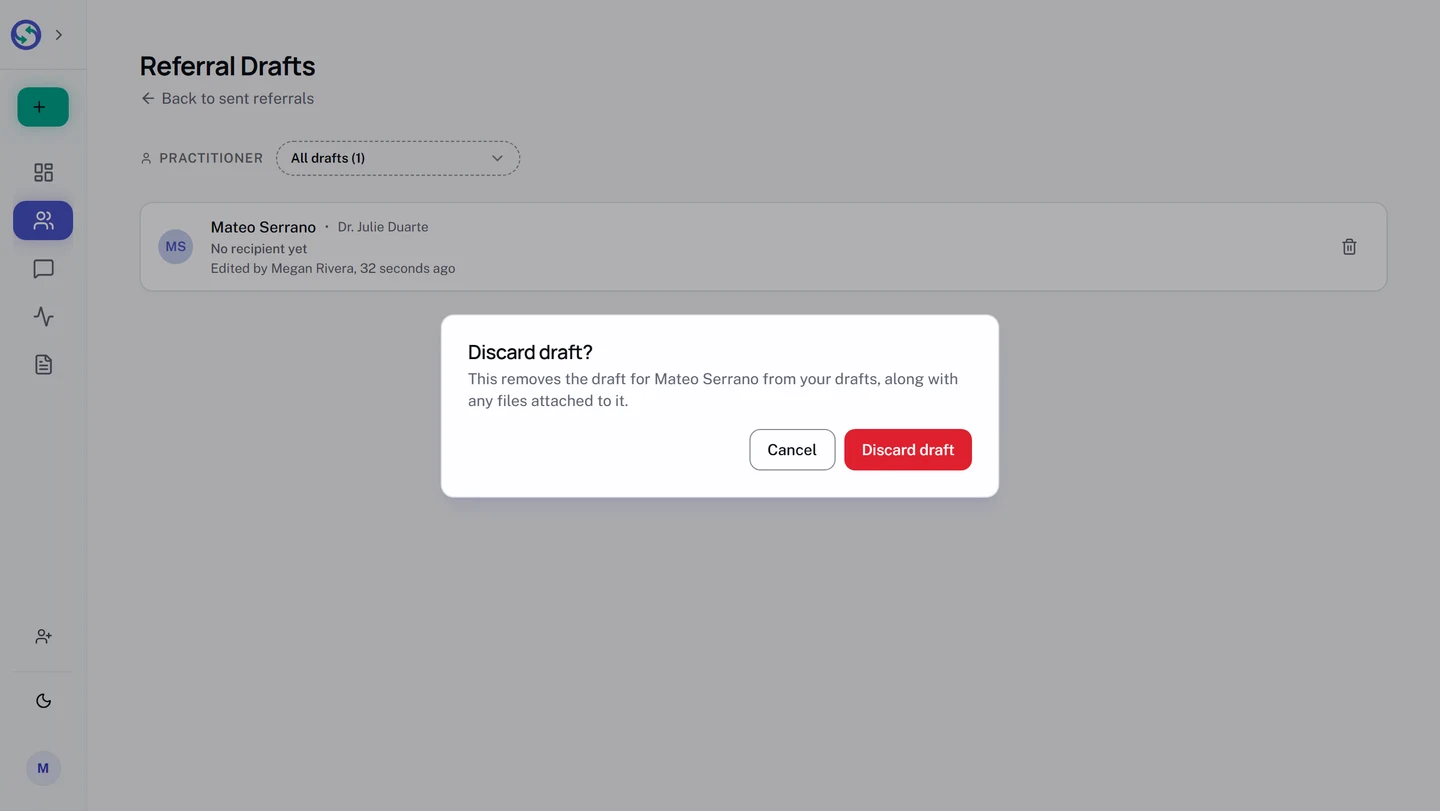
A draft that will never be sent gets discarded instead:
- On the
Referral Draftspage, select the trash button on the draft's row. - In the
Discard draft?dialog, selectDiscard draft. The draft and any files staged with it are deleted.