Track a referral and what "Stale" means
A sent referral reports its own progress: Sent, Viewed, In Progress, Booked. Stale is the platform telling you it has stopped moving, and it names why. Here is how to read each state and what actually gets a stalled referral going again.
On this page
Browse categories
Where to watch a referral
Three places answer "what happened to my referral" without a phone call.
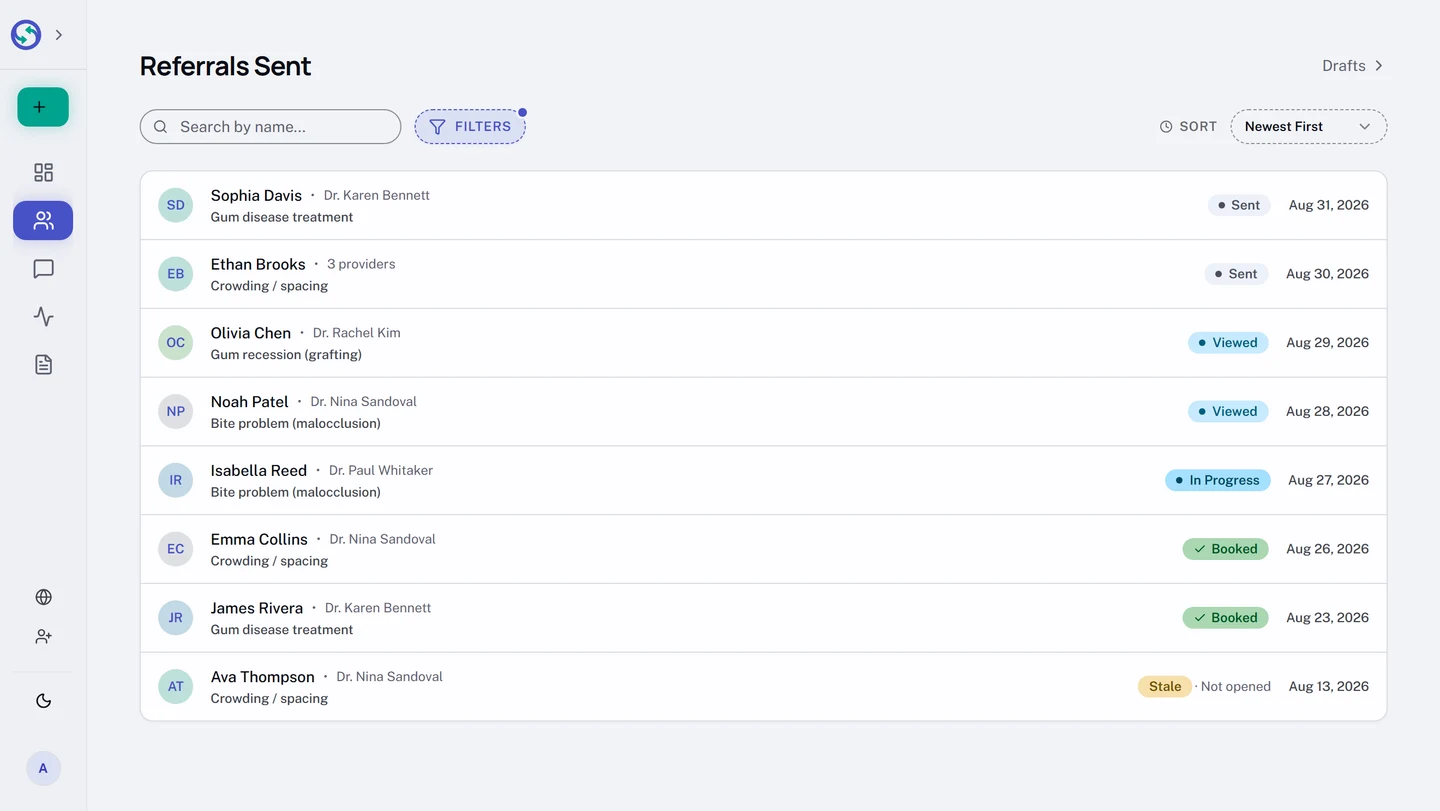
The sent list. In the sidebar, open Sent. Every referral carries a status pill. One thing to know: the default view hides Stale referrals, the same way it hides archived ones. To see them, select Filters above the list and check Stale under Status; each stale row then carries its reason beside the pill.
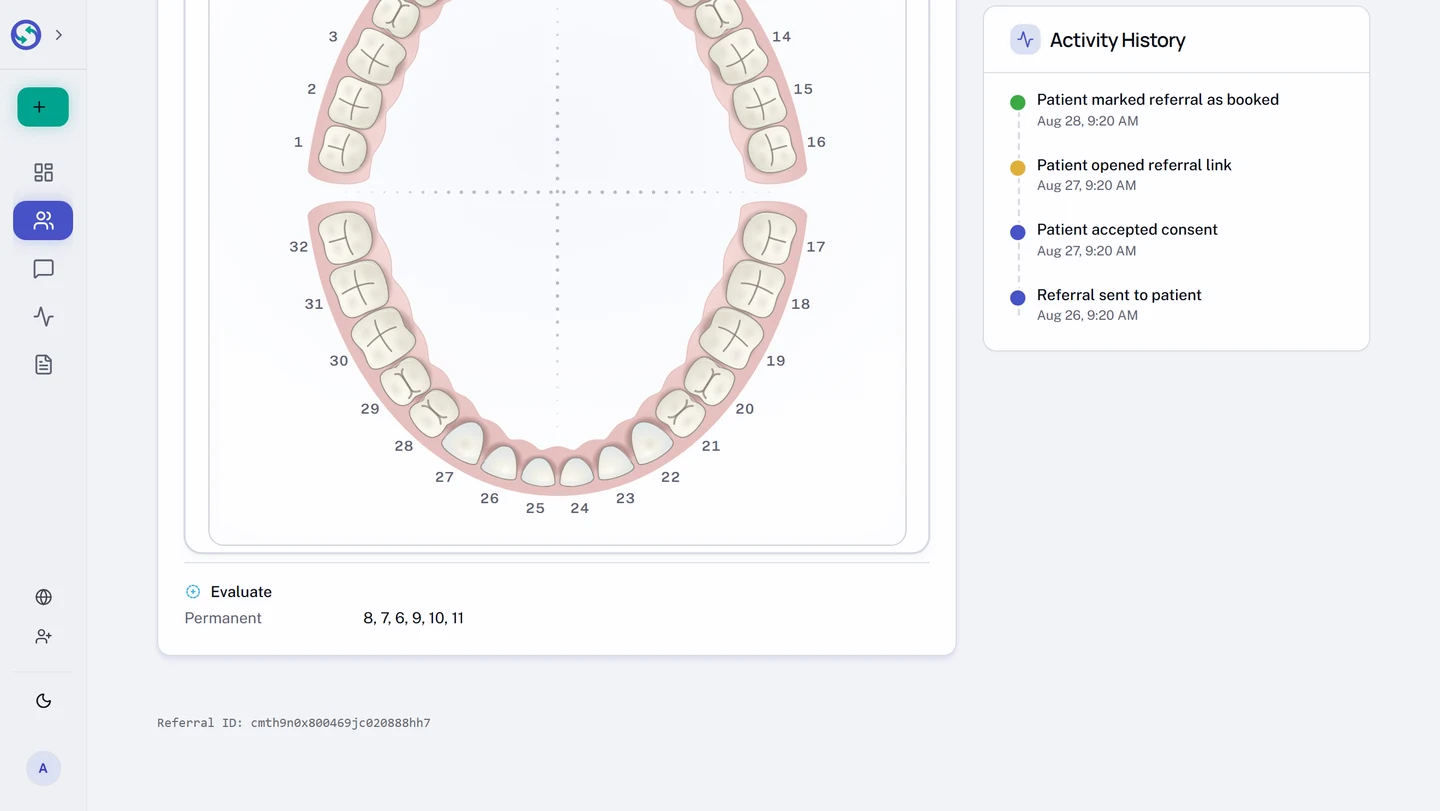
The referral's own page. Open a referral from the list. Its Activity History card timestamps every step: when the link was delivered, when the patient opened it, when a practice reached out, when a booking landed.
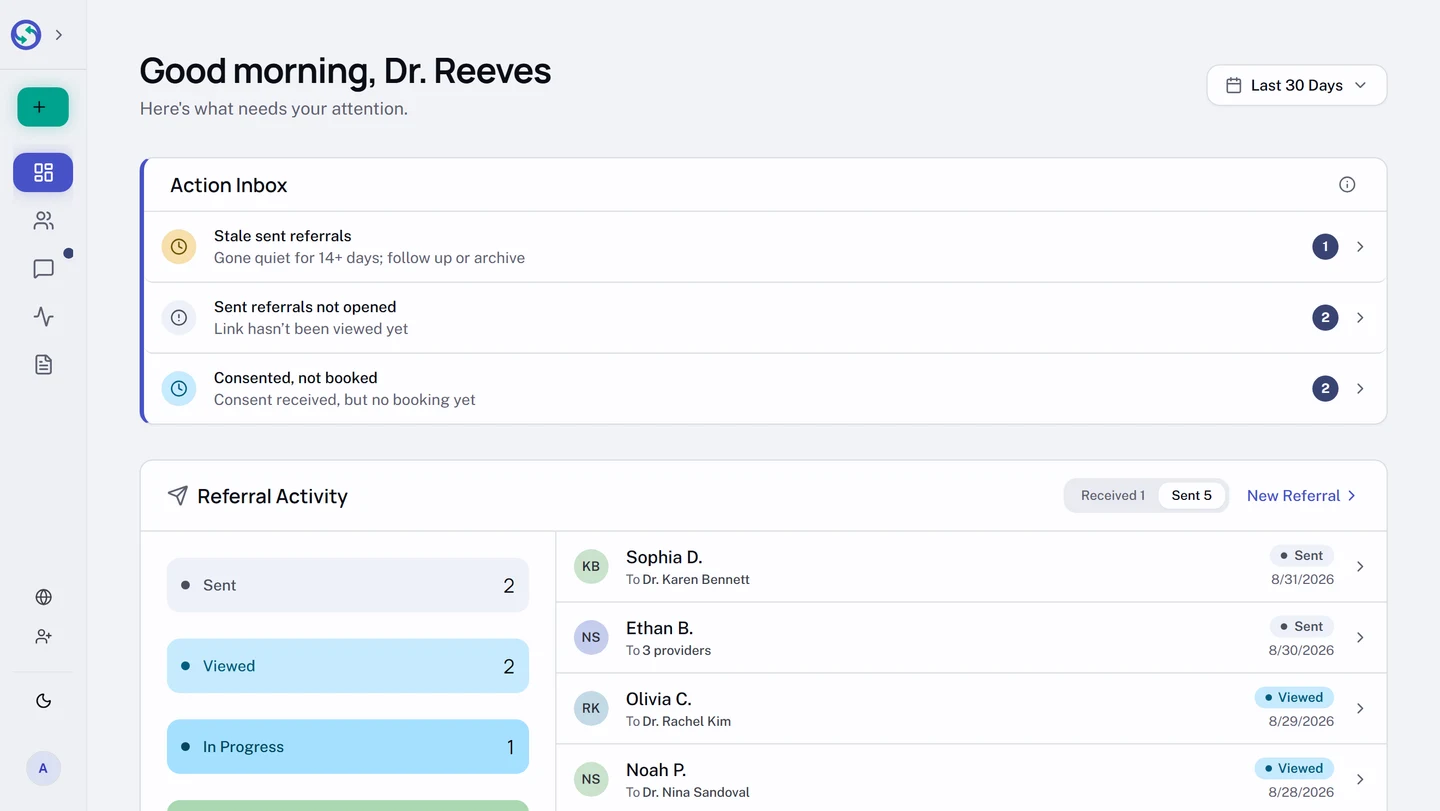
Overview. The action inbox on your Overview page surfaces the referrals that need you, sorted by urgency: stale referrals, referrals the patient has not opened, and referrals the patient viewed but never booked each get a row, and the row's count links straight into the list already filtered to exactly those referrals.
The four working states
A referral moves through four states, each set by a real event rather than by anyone remembering to update it.
Sent: the referral exists and the secure link is on its way to the patient. Nothing has happened on their side yet.Viewed: the patient opened their link and accepted the consent disclosure. They have seen the referral; on a Choice referral this is also when they can start sharing it with a practice.In Progress: a receiving practice recorded that it reached out to the patient. Somebody on the other side is working it.Booked: an appointment was confirmed, by the practice or by the patient themselves.
What "Stale" means, exactly
Syncroly marks a referral Stale once it is more than 14 days old and still sitting in Sent or Viewed, with no booking and no receiving practice having logged contact. The label lands within a day of the fourteenth, not on the hour.
Beside the Stale pill sits one of two reasons, so you can triage from the list without opening anything:
Not opened: the patient never opened their link. The email may be buried, wrong, or ignored.No booking: the patient opened the link and accepted the disclosure, then never booked. The problem is follow-through, not delivery.
A referral marked In Progress is never marked stale, and neither is an archived one. A bare Stale with no reason means the referral was stalled by an account deactivation rather than by inactivity.
Nothing is locked and no link is revoked. The referral leaves Stale as soon as something happens: a receiving practice marking contact moves it to In Progress, and a booking moves it to Booked.
Get a stalled referral moving
Match the fix to the reason. For Not opened, the patient needs the link again, or needs it somewhere else.
- In the sidebar, open
Sent. - Open the stalled referral.
- In the top right of the page, open the
...menu. - Select
Resend Link. A fresh link goes to the patient by email, and the older links keep working, so whichever email they find, it opens.
If the address itself was wrong, resending to it fixes nothing: use Update details on the same page to correct the email, which also sends a fresh link. A booked referral has no Resend Link at all, because there is nothing left for the link to do.
For No booking, the patient has the link and read it, so the lever is human: the Conversations card messages the receiving practice directly, and on a Choice referral you can also send the referral to one of the practices yourself, which is covered in Direct vs Choice, and which to use.
When still is normal
Not every quiet referral is a problem. On a Choice referral, no receiving practice hears anything until the patient shares with them, so Sent holding for a few days usually means the patient has not opened their link yet, not that the practices are ignoring you. If quiet turns into stalled, the referral says so on its own.