Tooth charts, pet details, and risk factors
The middle of the referral form belongs to your category: a tooth chart for dental, animal details for veterinary, risk factors for mental health. All of it is optional, and all of it arrives with the referral. Here is what each one collects.
On this page
Browse categories
The part of the form that is yours
Every referral form shares the same top and bottom: contact details, specialty and reason, recipients, notes, attachments. The middle is where your category shows up. A dental practice gets a Tooth Selection chart, a veterinary practice gets the animal block titled Patient Details, a mental health practice gets Risk & context. The General category has no clinical block at all; its context lives in the notes.
Every clinical block is optional. A referral with nothing in it is still a complete referral. What you do fill in reaches the receiving practice the moment they can open the referral, as structured fields rather than a paragraph of notes.
Dental: the tooth chart
The Tooth Selection block draws the mouth and lets you mark what needs attention. A toolbar above the chart carries three findings: Evaluate, Extract, and Root canal.
- In the
Tooth Selectionblock, select the finding you want to mark:Evaluate,Extract, orRoot canal. - Select each tooth that finding applies to. Selecting a tooth again clears it.
- To mark baby teeth, tick
Primarybelow the chart.PermanentandPrimarycan be shown together. - Check the summary under the chart. It lists every marked tooth by finding, with a
Permanent:and aPrimary:row for each.
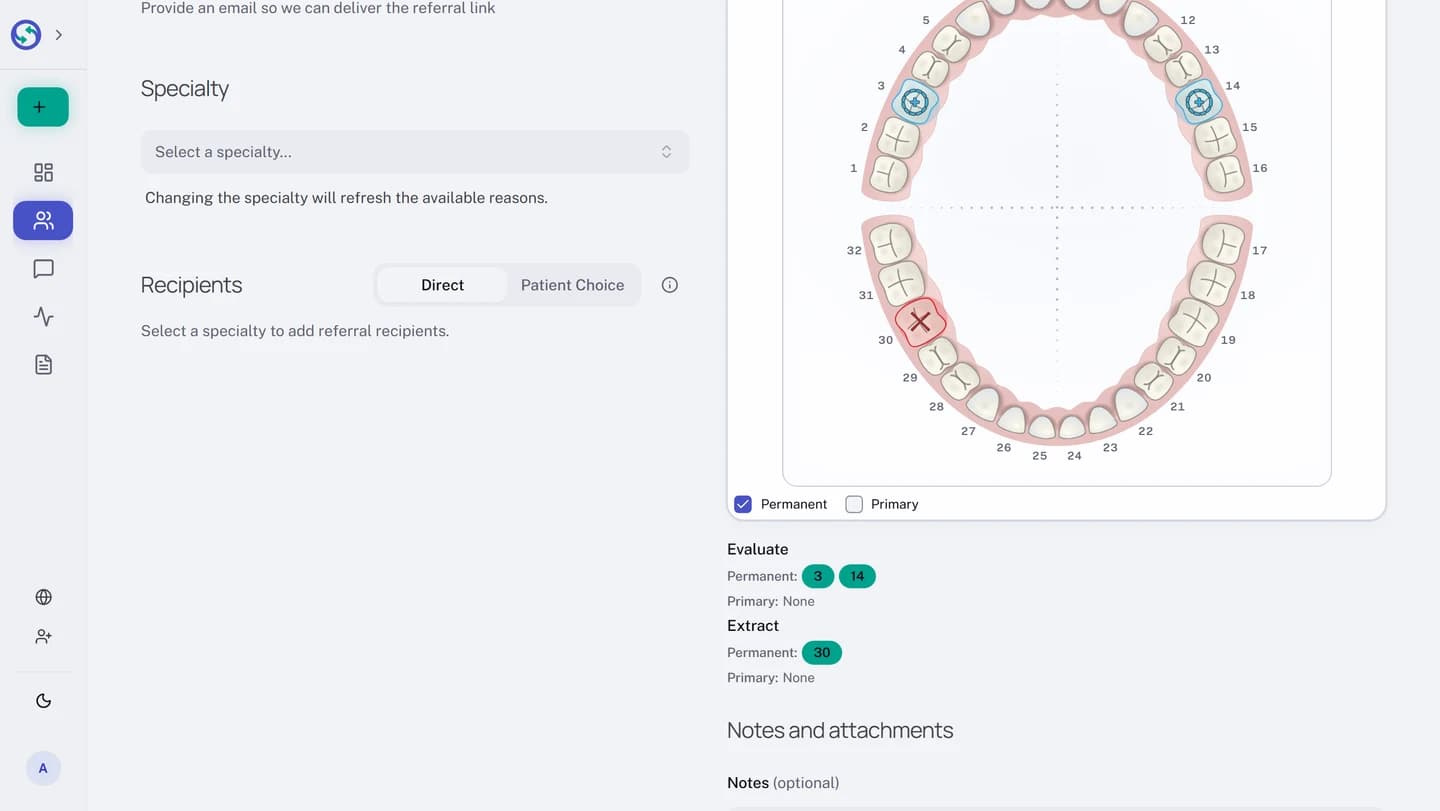
The magnifier button in the corner of the chart, labeled Open large chart, opens the same chart larger in a dialog, and the two stay in sync. Which teeth the chart shows by default follows your own settings, and so does the numbering.
Tooth numbering follows the reader, not the referral
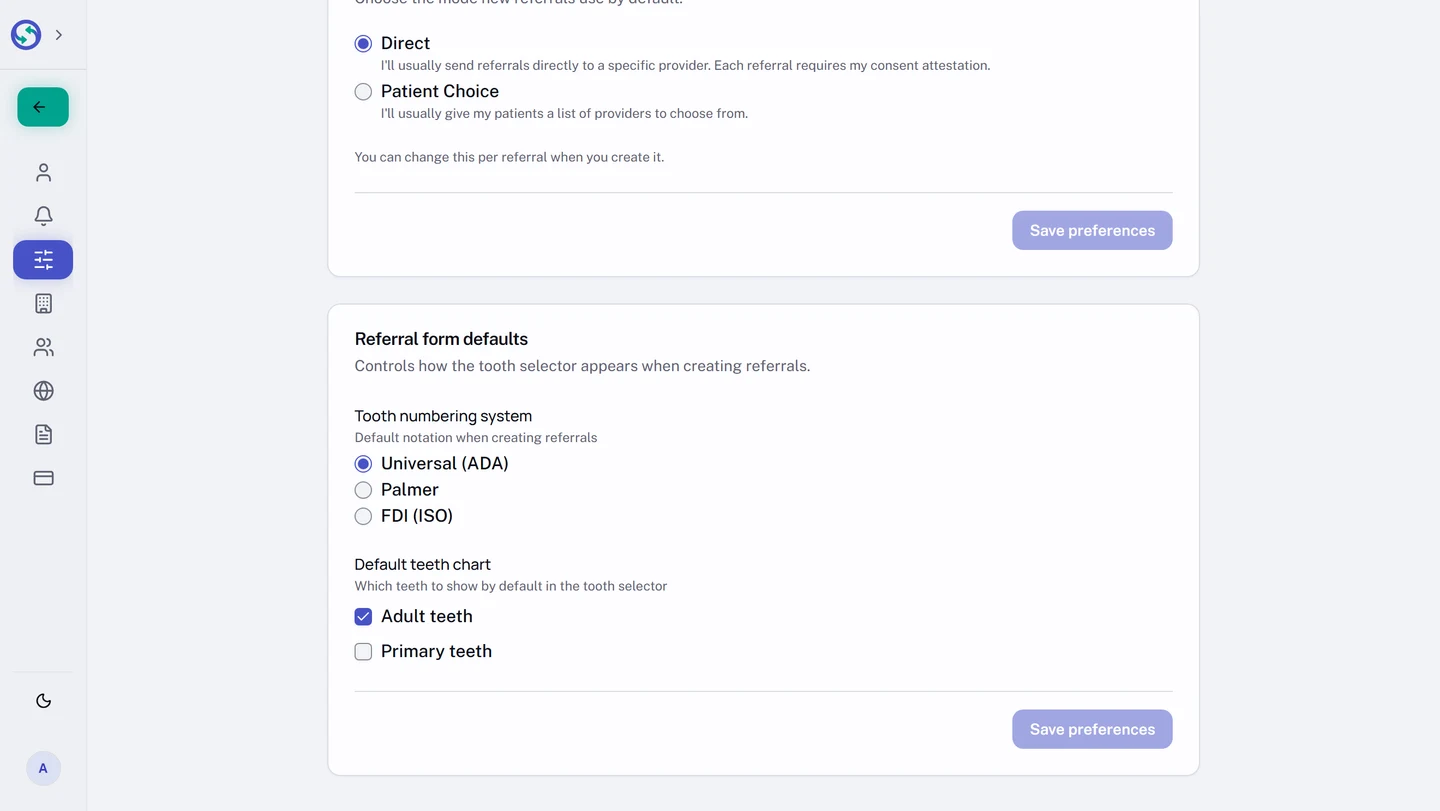
Syncroly supports three numbering systems: Universal (ADA), Palmer, and FDI (ISO). There is no notation picker on the referral form, because notation is a per-person setting rather than part of the referral. You mark the chart in your numbering, and every reader sees it in theirs: an orthodontist who works in Palmer reads your Universal-numbered chart in Palmer.
- At the bottom of the sidebar, open the menu showing your name.
- Select
Settings. - In the settings sidebar, under
PREFERENCES, openDisplay & Defaults. - In the
Referral form defaultscard, choose yourTooth numbering system:Universal (ADA),Palmer, orFDI (ISO). - Under
Default teeth chart, choose whether the chart opens showing permanent teeth, primary teeth, or both.
Veterinary: the animal details
On a veterinary referral the clinical block is titled Patient Details, because the animal is the patient; the owner's name and email live above it under Owner's Information. The block collects Species (Canine, Feline, or Other), Breed, Birth date, Sex, Weight, and Coat color.
The whole block is optional, with one rule once you touch it: Species becomes required, because the rest means nothing without it. Choosing Canine or Feline asks for a Breed, with suggestions as you type. Choosing Other swaps the breed field for a species of your own wording, along the lines of e.g., Hamster, Rabbit, Bird.
The remaining fields carry their own conveniences. Birth date is optional, and the form calculates the age from it as you pick the date. Sex distinguishes Male (Intact), Male (Neutered), Female (Intact), and Female (Spayed). Weight takes a decimal with a point or a comma, rounds to one place, and pairs the number with a unit, lbs or kg; enter both or neither.
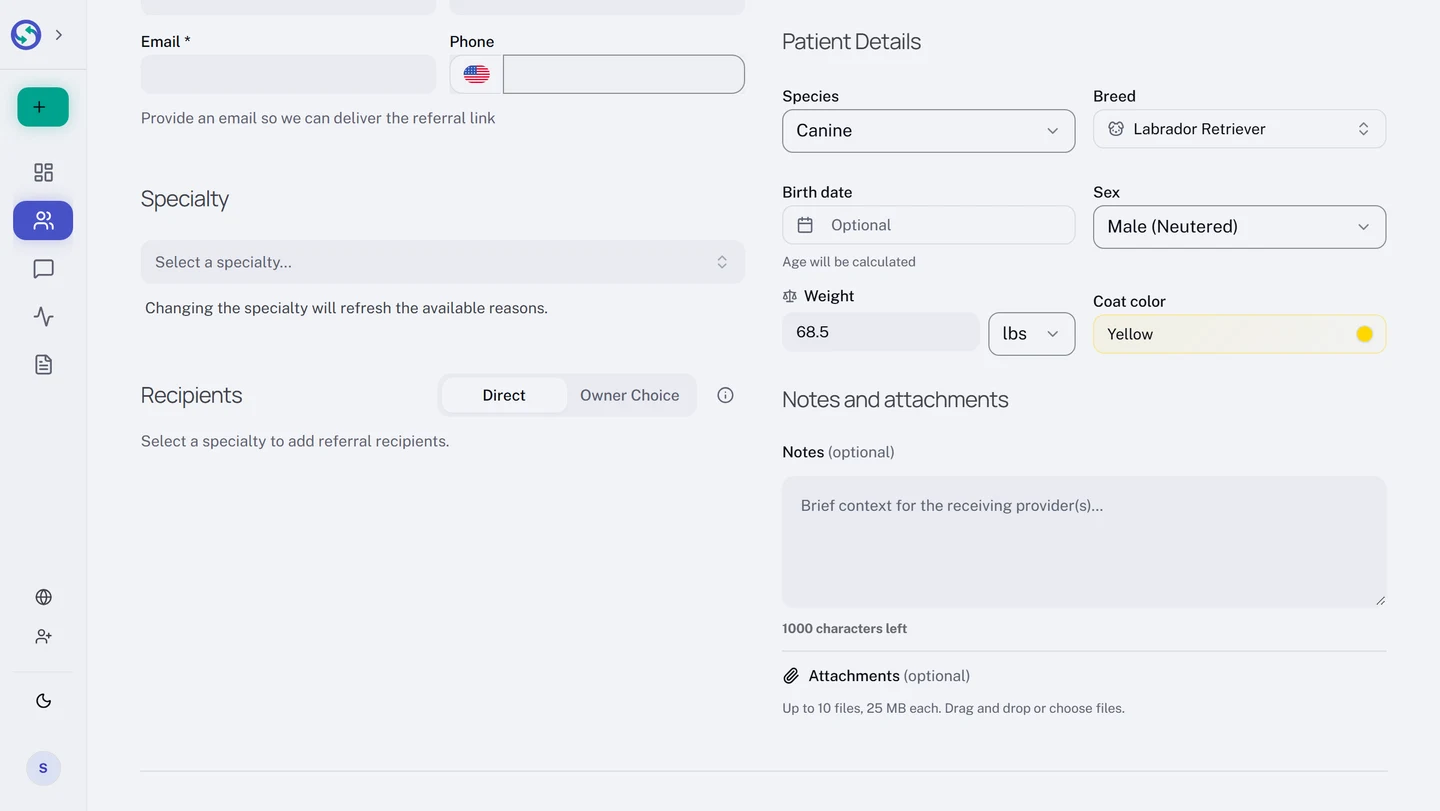
Which unit the form starts on is yours to set: in Settings, under PREFERENCES, open Display & Defaults and choose Default weight unit, Pounds (lbs) or Kilograms (kg).
Mental health: risk factors
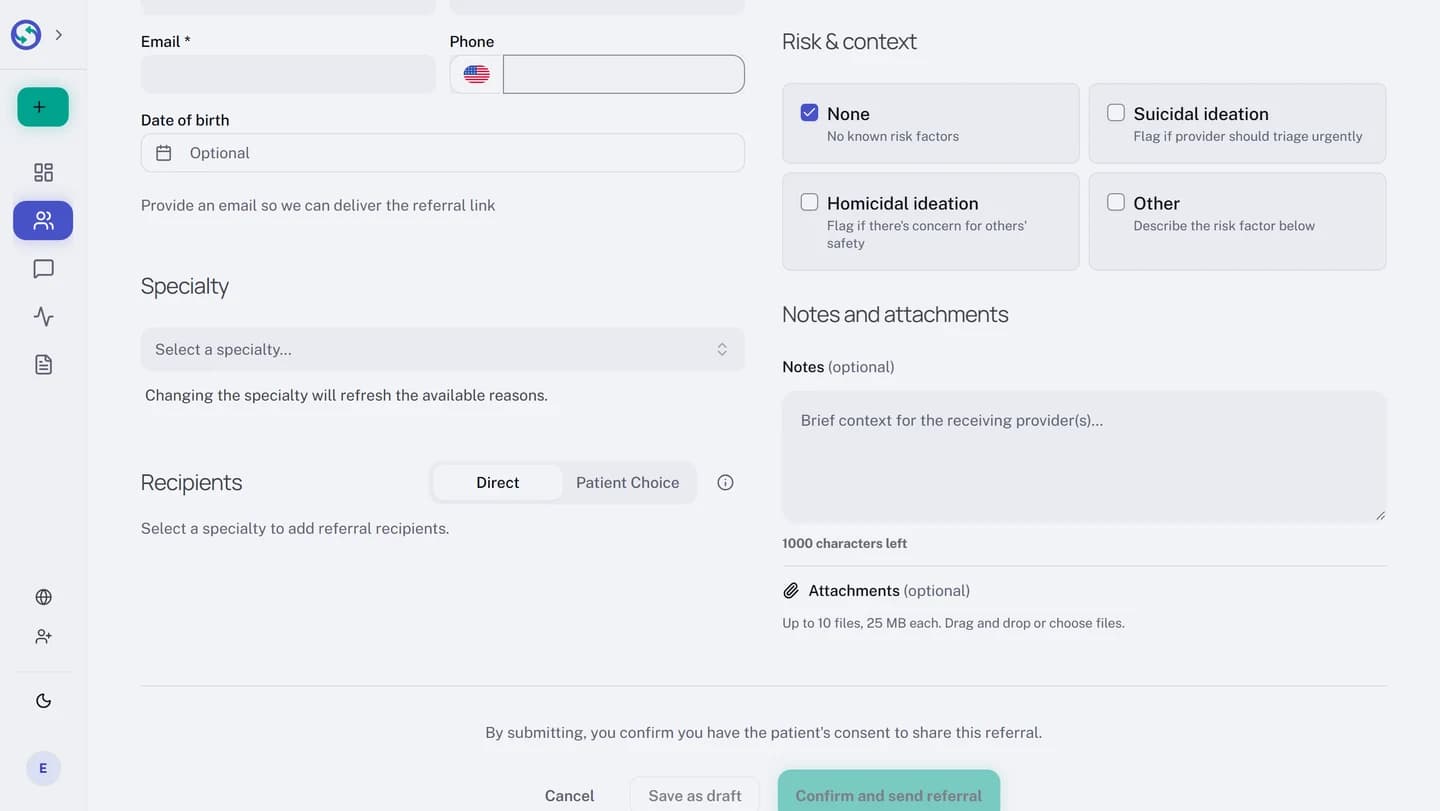
On a mental health referral the clinical block is Risk & context. It offers four checkboxes, each with its purpose written beside it:
None, for no known risk factors.Suicidal ideation, to flag that the provider should triage urgently.Homicidal ideation, to flag concern for others' safety.Other, which opens aDescribe the risk factorfield for anything the first three do not cover.
None stands alone: selecting it clears the others, and selecting any other clears it. Other will not save without its description.
What the receiving practice sees
The clinical block arrives on the received referral as its own card: the tooth chart drawn with your findings in the reader's own notation, the animal details laid out field by field, the risk factors listed. If something changes after you send, the clinical context is one of the things a post-send correction can update. Fix or cancel a referral after sending covers how.