Invite providers you refer to
You can invite the practices you refer to and receive from onto Syncroly, so your referrals and messages with them run in one place. Invites go out from the Invitations hub, or automatically when you refer to a practice that is not on Syncroly yet.
On this page
Browse categories
What inviting a provider does
Inviting a provider sends the practice you refer to an email asking them to join Syncroly. When they accept, your referrals and messages with them run on the platform instead of by phone or fax.
There are two ways to invite someone: by hand from the Invitations hub, or automatically when you refer to a practice that is not on Syncroly yet.
Invite from the Invitations hub
- Open the
Invitationspage from your navigation. - Select
Invite Providers. - Enter each provider by first name, last name, and email.
- Select
Add rowfor each additional provider you want to invite in the same batch. - Select
Send invitations.
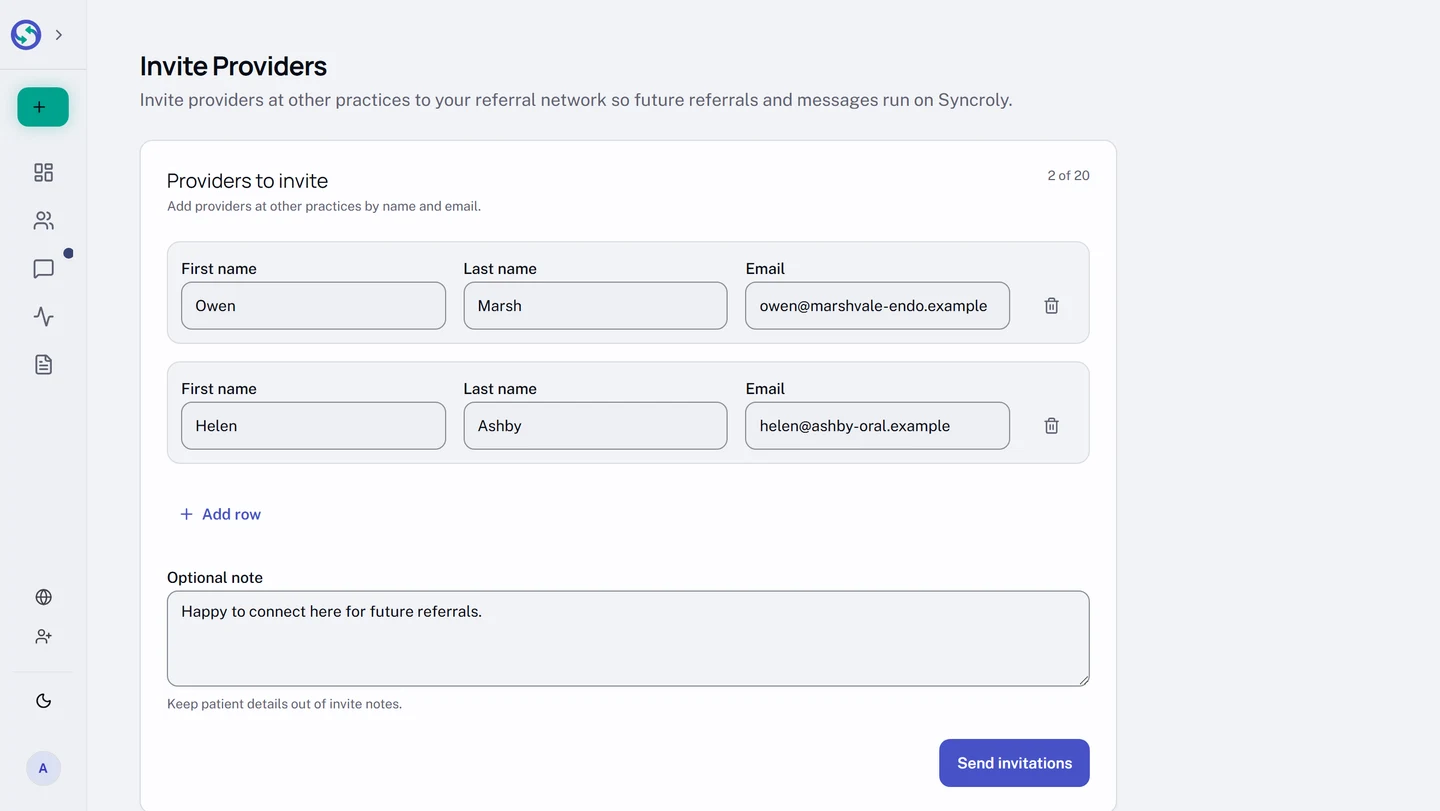
A name and an email are all you need for each provider. You can send up to 20 in one batch, and each row reports its own result, so one bad address does not lose the rest. A specialty is optional: a provider invited without one takes on your account category and still appears when you pick recipients for a referral.
Invites that go out when you refer
When you send a referral to a provider who is not on Syncroly yet, Syncroly offers to invite them as part of sending, and confirms that the invitation is on its way. You do not have to open the hub for it.
Resend, cancel, and track an invite
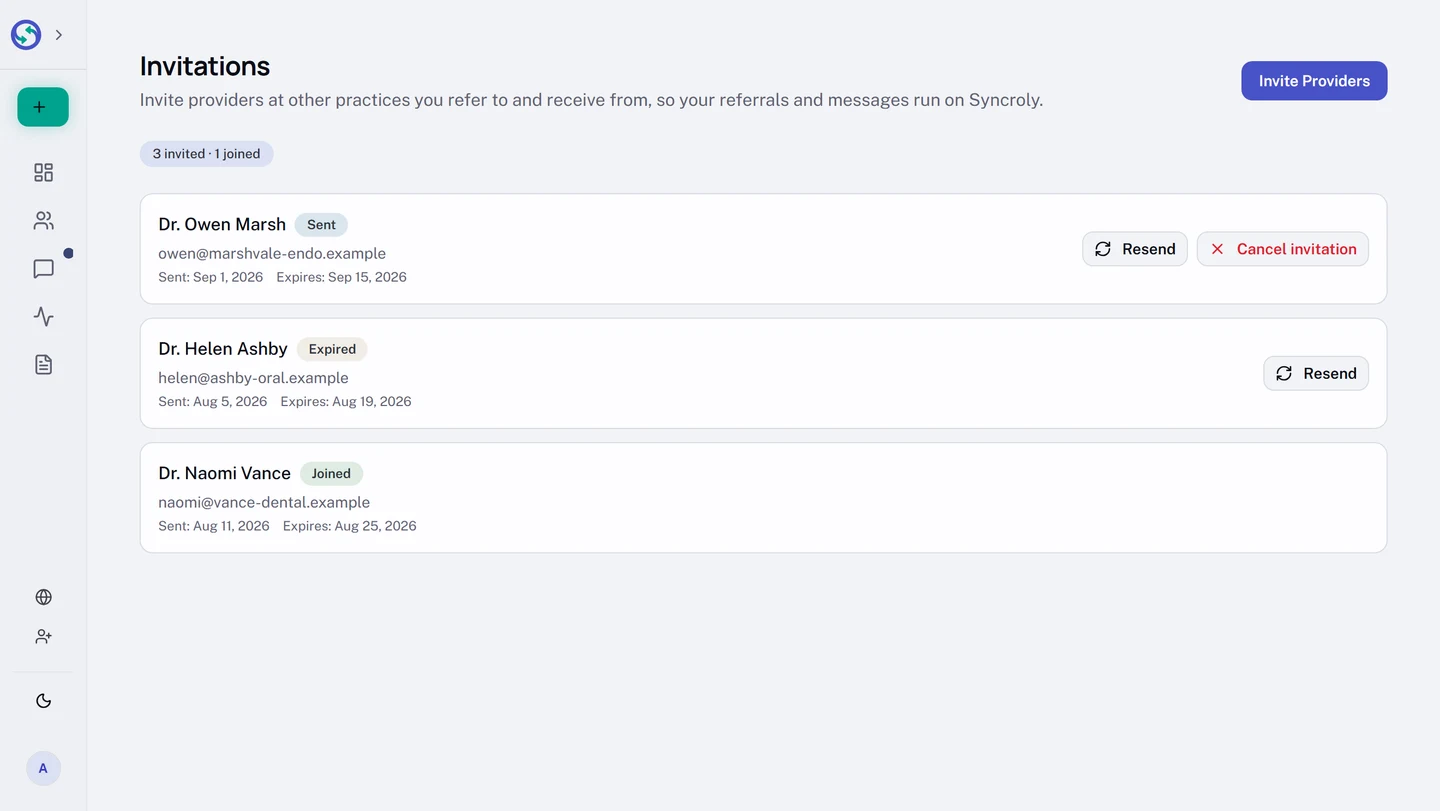
The Invitations hub lists everyone you have invited, with the state of each one. Where an invite is still open, Resend sends it again and Cancel invitation withdraws it. Resending waits 15 minutes between sends and stops at three sends in any 14-day window.
Once someone is on Syncroly their row reads Joined and there is nothing left to resend. That state comes from whether the provider is on Syncroly, not from whether they used your invite, so a provider who signed up on their own reads Joined too.