Skip to content

Everything Syncroly does. In five parts.

Refer, share the case, run the front desk, get referred and keep control, so more referrals turn into booked appointments and patients start treatment sooner.

5-minute setup · No credit card · HIPAA-compliant
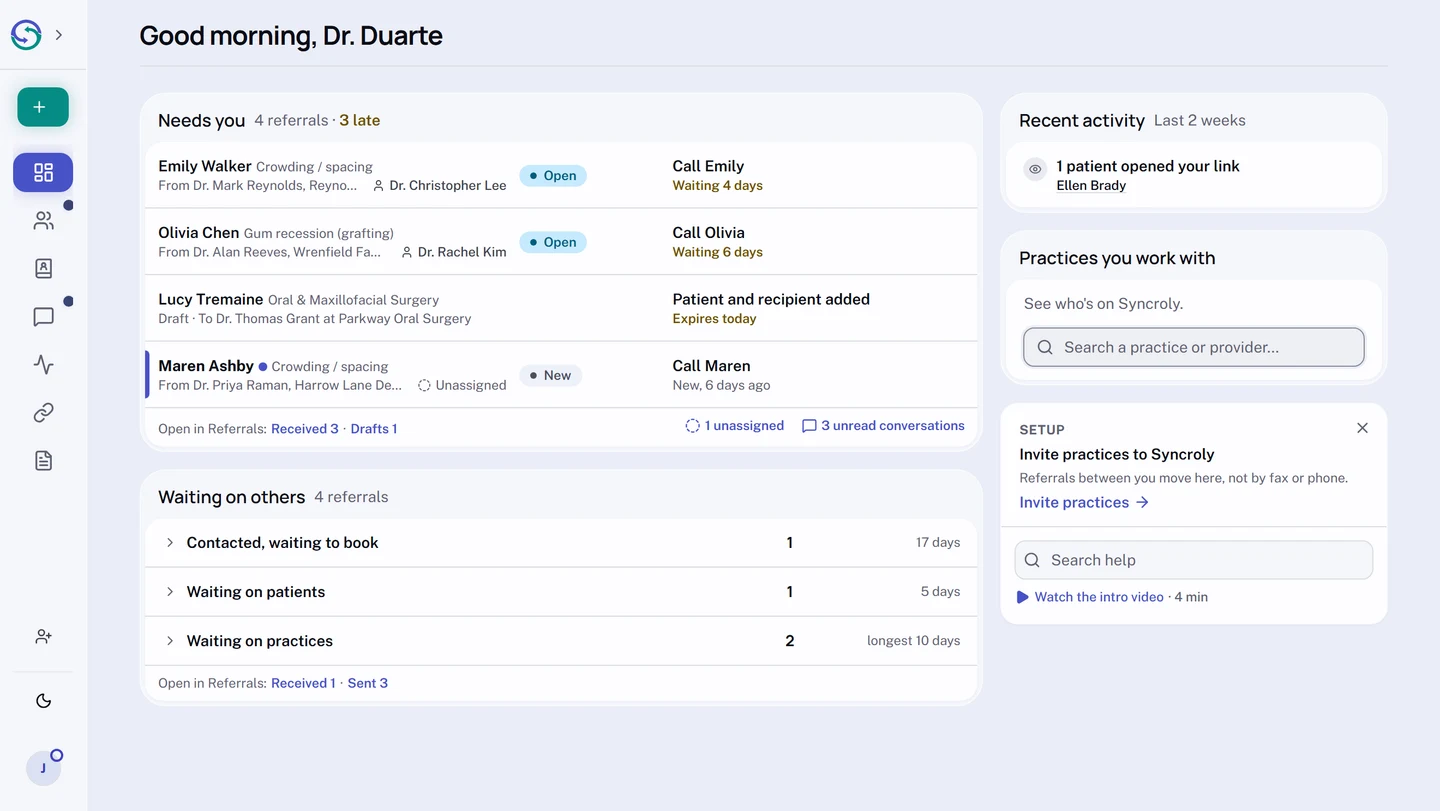
The Overview: the referrals that need you, each with the next step
Work together

One case. Both practices on it.

Notes, X-rays, scans, messages and the treatment report go back and forth between practices, HIPAA-compliant, whatever software each one runs.

The case page both practices share.

Reason, notes, chart, files, messages and history, on one page both practices open.

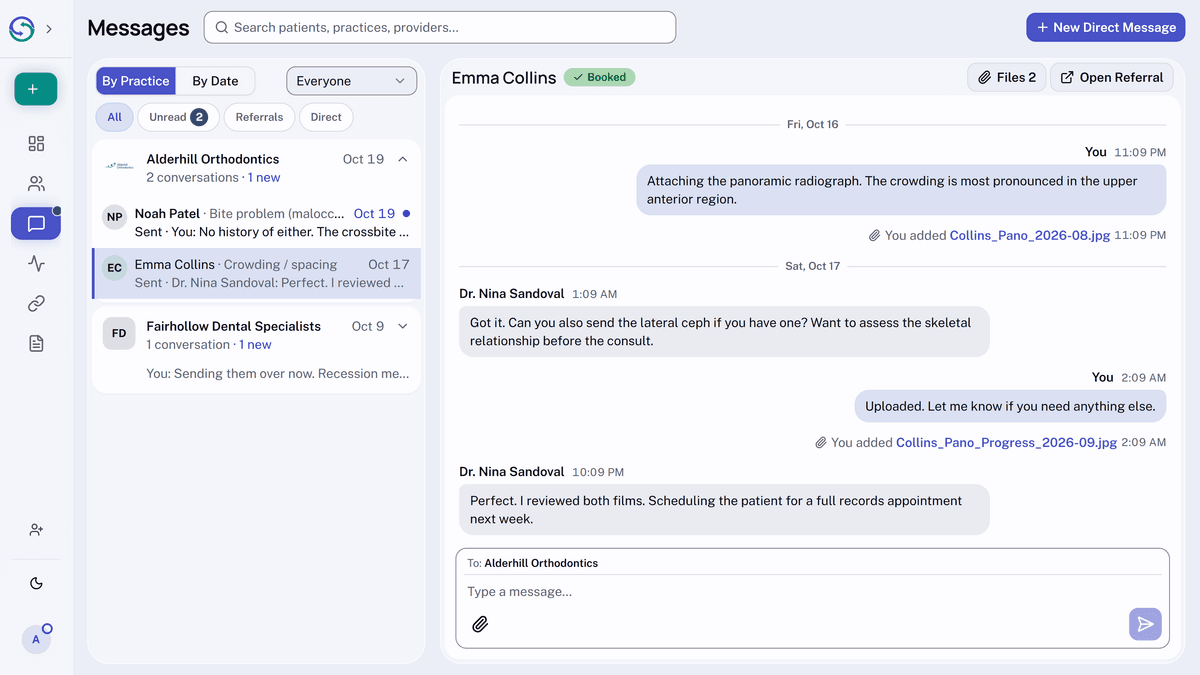
A conversation with a practice on a referral

A thread for every case.

Message the other practice right on the referral. Each case keeps its own conversation.

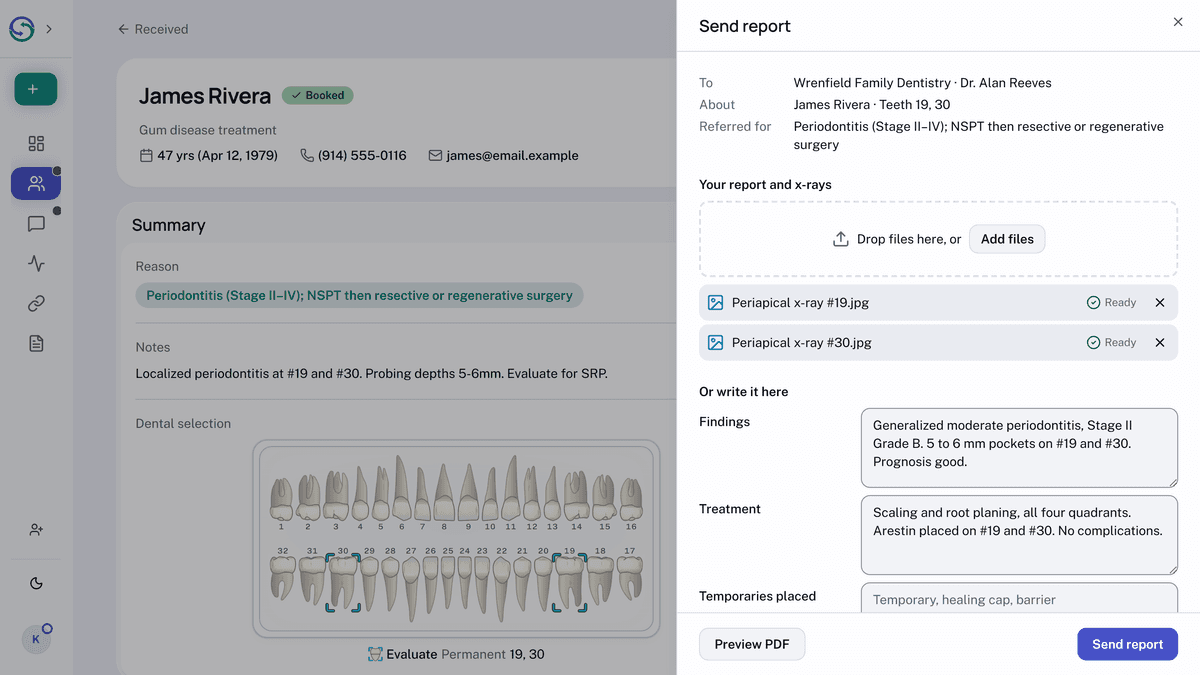
The Send report panel with X-rays attached

X-rays, records and the report back.

Send files both ways, request records, and get the treatment report back with findings and X-rays.

Also in Work together

  • Files and X-rays both ways, and DICOM or STL scans up to 3 GB
  • See when the other practice has read your message
  • Direct messages between providers
  • Save a referral as a PDF for the patient's chart or the morning huddle
Refer

Send the whole referral. To any practice.

Send it to one practice, or let the patient choose from up to three. Syncroly reminds the patient to book and shows you when they do.

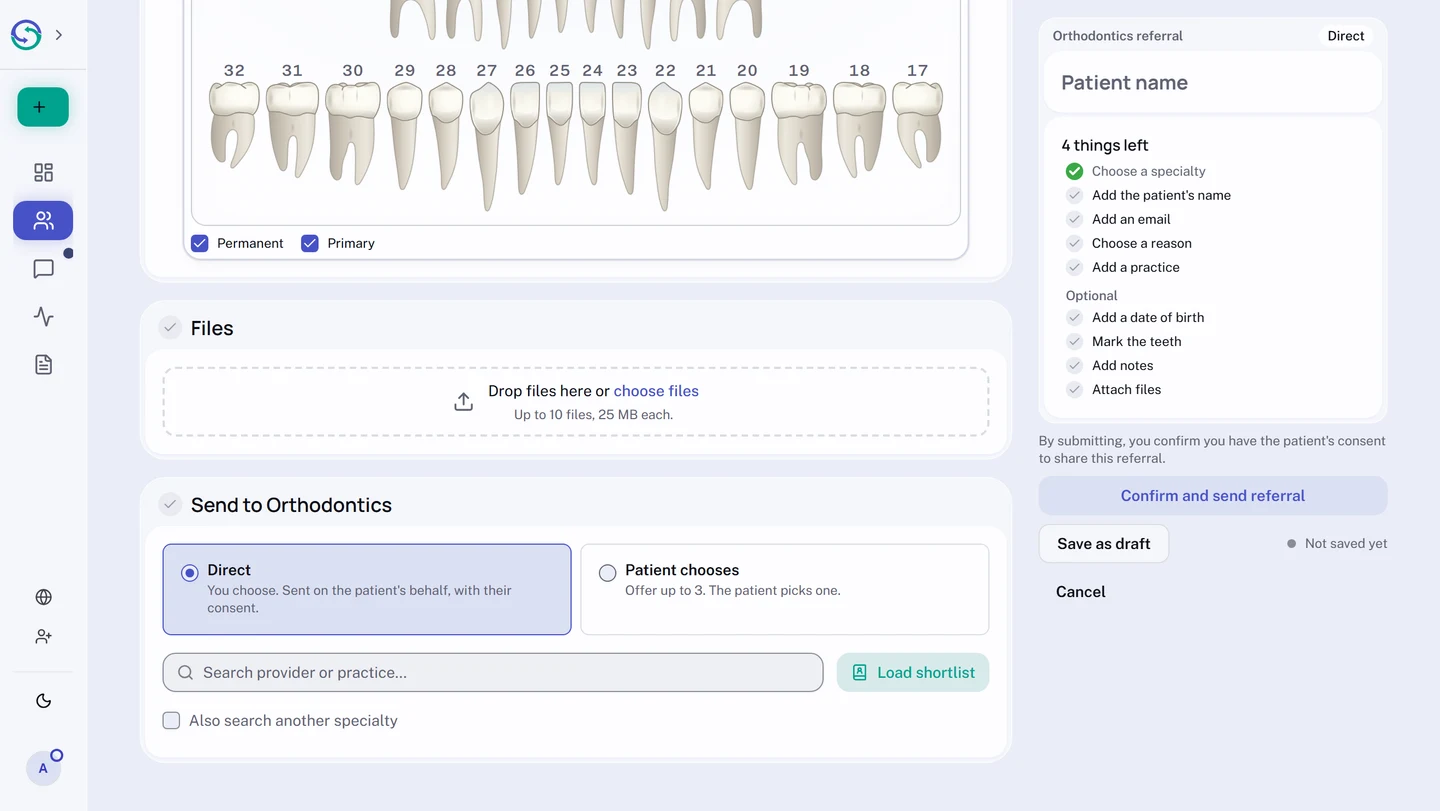
The referral form's Send to choice: Direct, or Patient chooses

Send direct, or let the patient choose.

Choose the practice yourself, or offer up to three and let the patient pick.

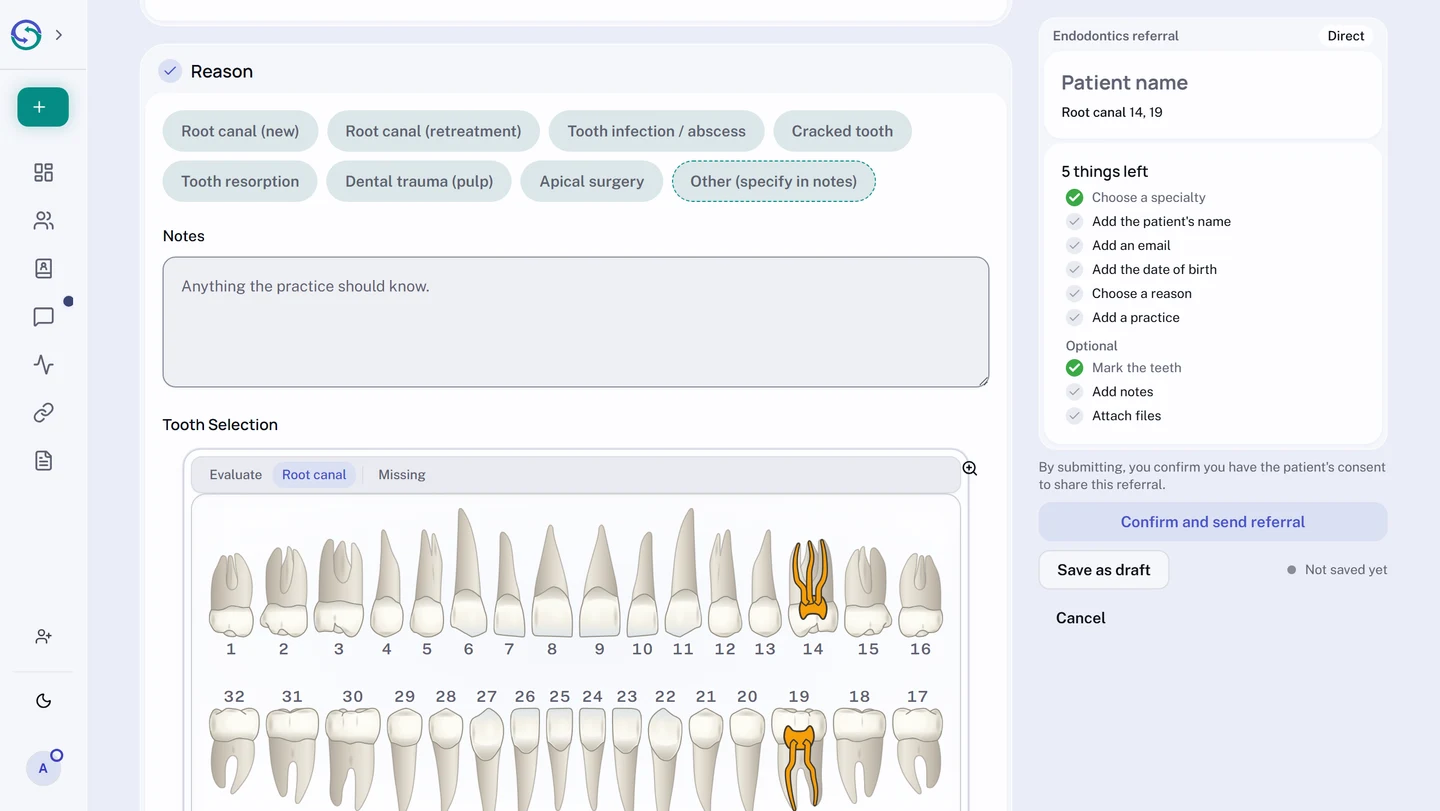
An endodontics referral with root canals marked on teeth 14 and 19

A referral built for each specialty.

Pick the specialty and the form follows, with its own reasons and the tooth marks that specialist needs.

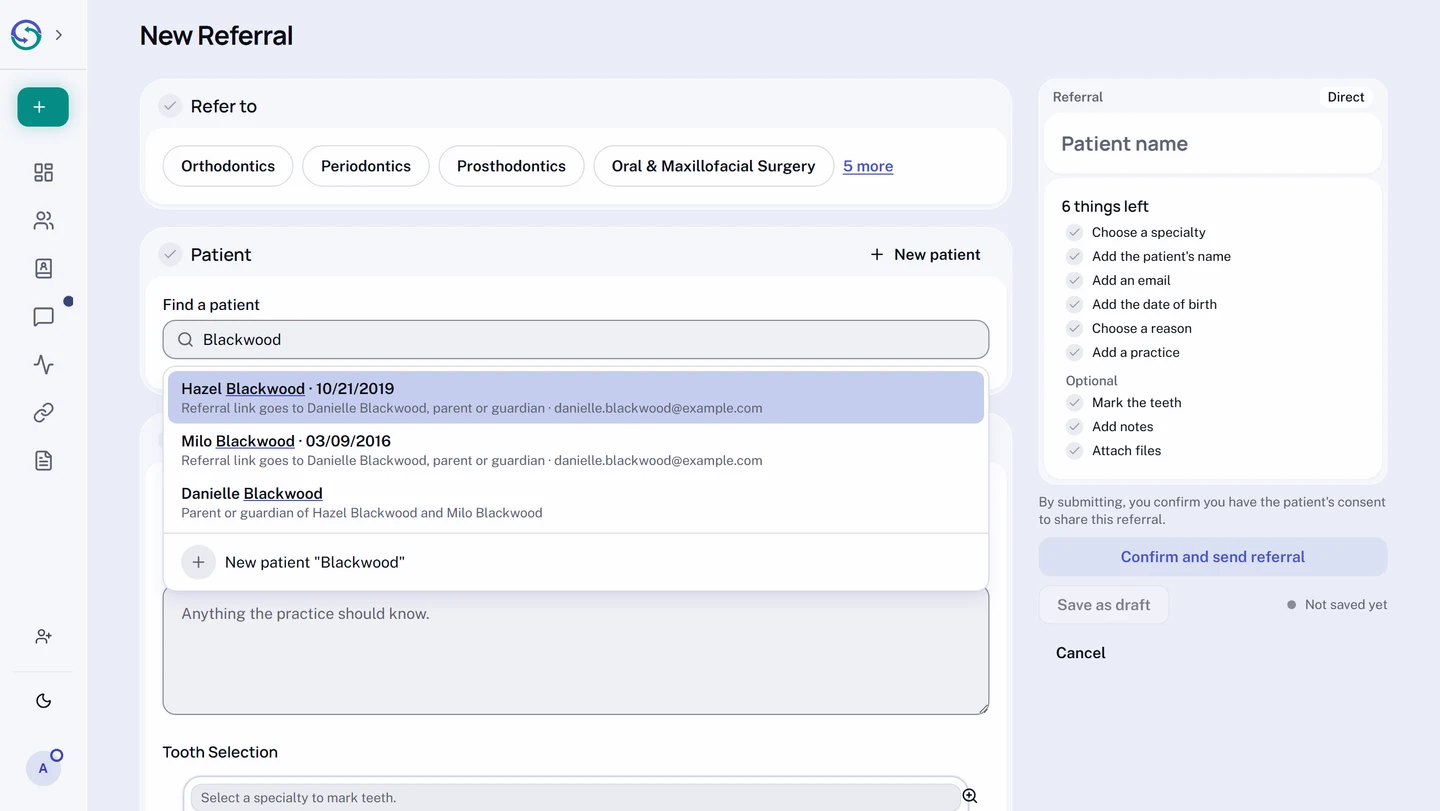
Find the patient. The form fills in.

Search by name, date of birth or chart number. For a child, the booking link goes to a parent or guardian.

Also in Refer

  • Refer to any practice, on Syncroly or not
  • Refer to a practice, or to one of its providers
  • Shortlists of your go-to practices for each specialty
  • Automatic reminders to the patient to book
  • See when the patient opens it, and when they book
  • A flag when a referral goes quiet, with what to do next
  • Drafts the whole team can pick up
  • Fix details after sending, or add a practice
  • Patients get a secure link with maps and insurance. No app needed
Front desk

Know who to call next. And who already booked.

Assign each referral to a provider, call the patient, mark it contacted or booked, and pick up the drafts your team started. All from one list.

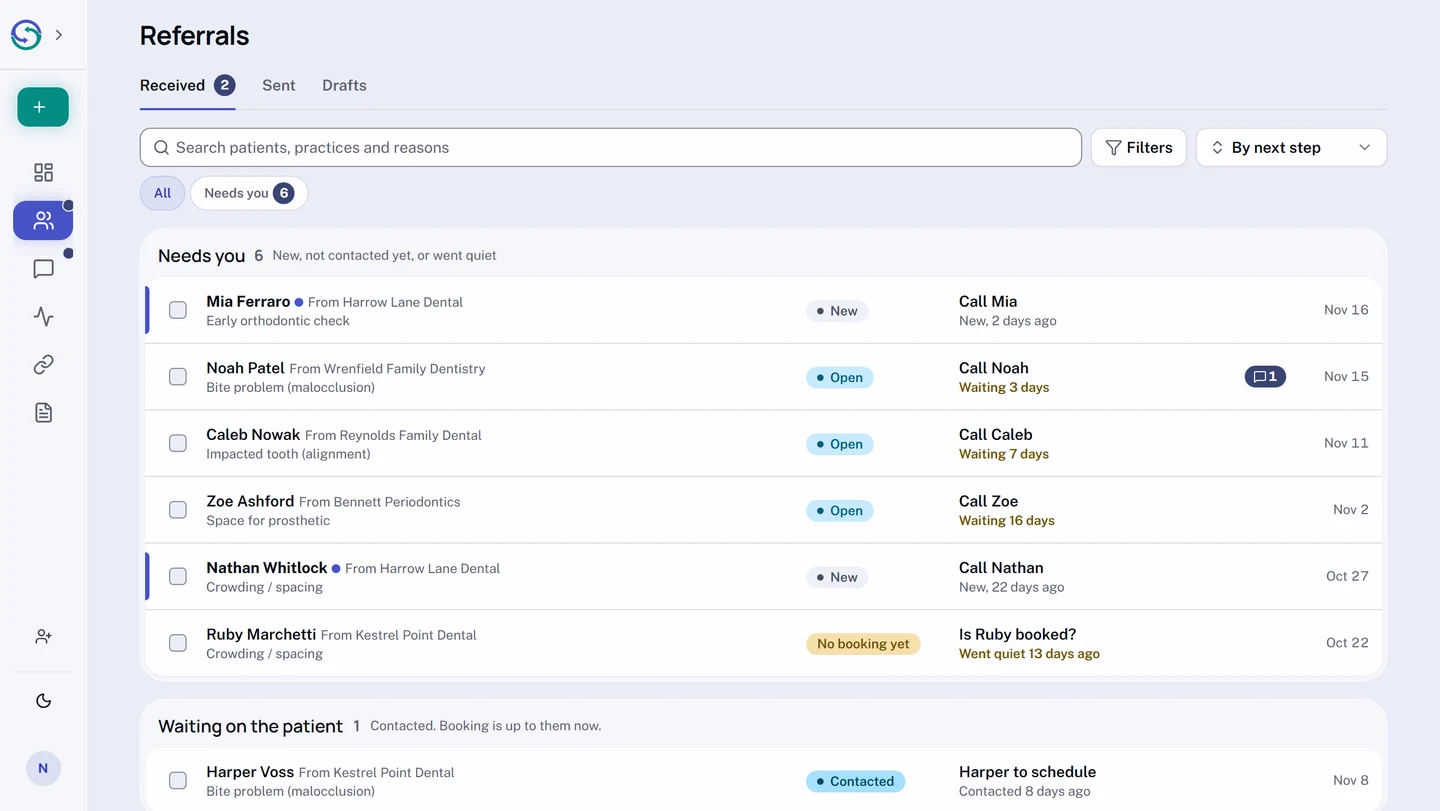
The received inbox, with what needs you first

The patients to call, in order.

New referrals and patients still waiting on a call come first. The practice that sent them sees each update.

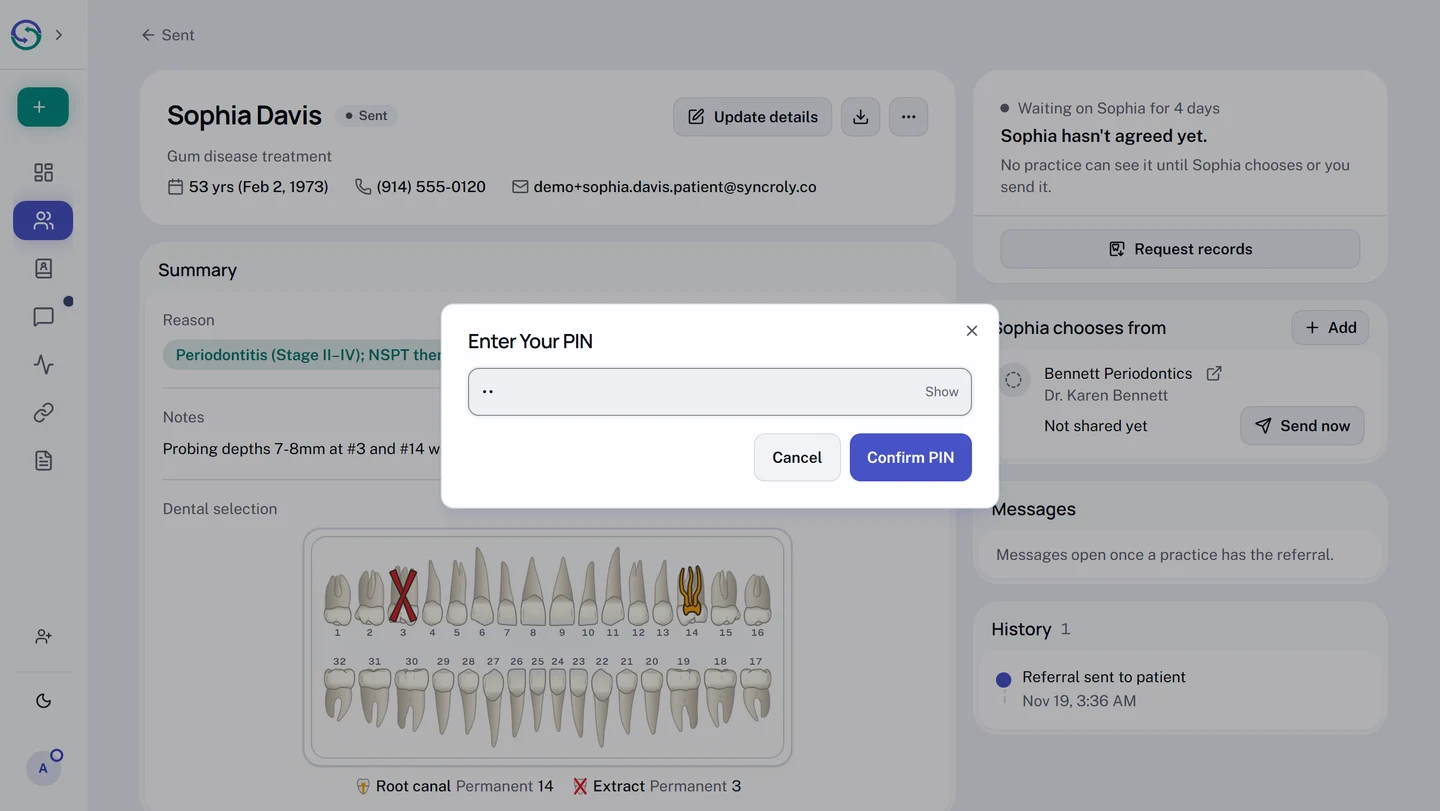
The front desk PIN prompt: Enter Your PIN, then Confirm PIN

One login at the desk. A PIN for each person.

The desk shares one sign-in. Each person confirms with their own PIN, so the log shows who did what.

Also in Front desk

  • New referrals go straight to the right provider
  • Assign referrals one at a time or in bulk
  • Log each call to the patient
  • Confirm a booking the patient reported
  • New referral alerts to your practice email
  • Your Overview: what needs you today
Get referred

Be the easy practice to refer to.

Every plan receives referrals, Free included. Specialty adds a referral form for your website and shows who sends you patients.

On the Specialty plan

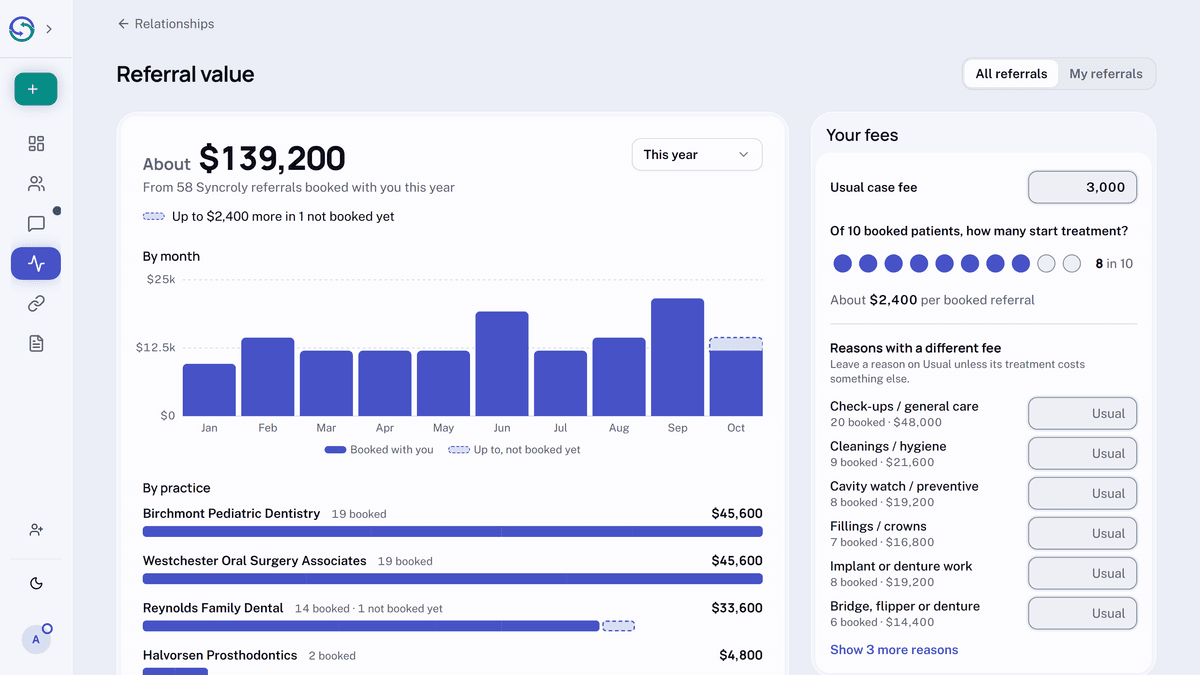
What your referrals are worth, by month and by practice

What your referrals are worth.

Your booked referrals, priced with your own fees, by month and by practice.

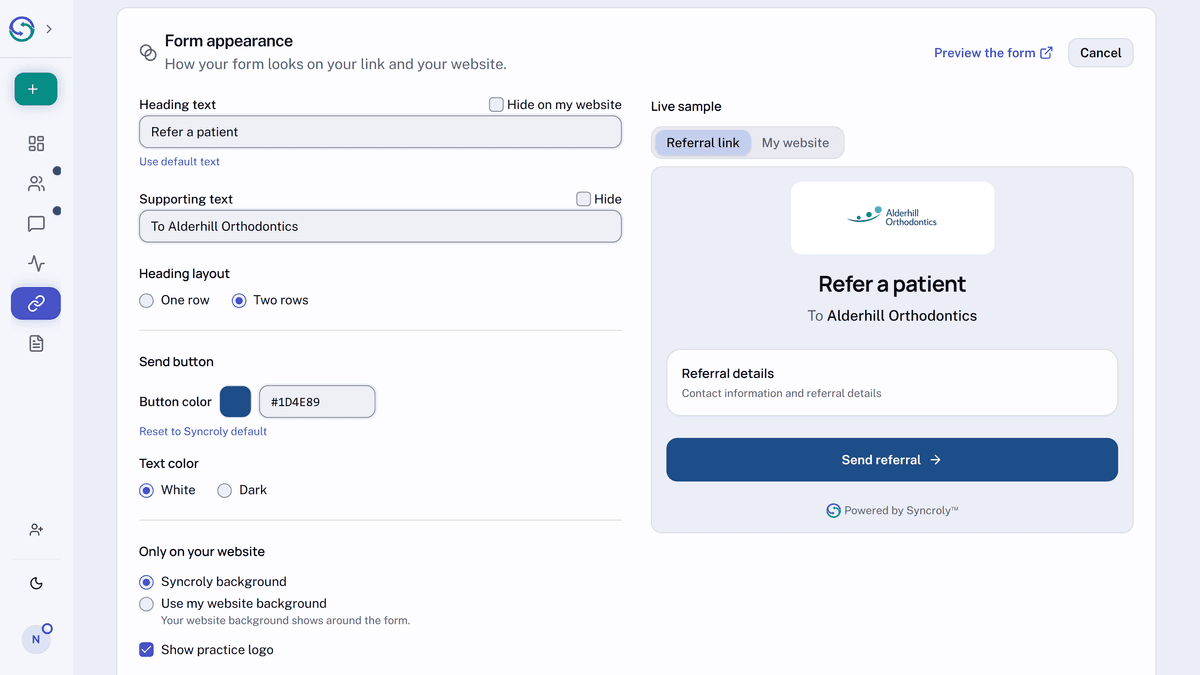
The referral form's live sample in a practice's colors

Your referral form, on your website.

Any practice can send you a patient from your site, in your colors.

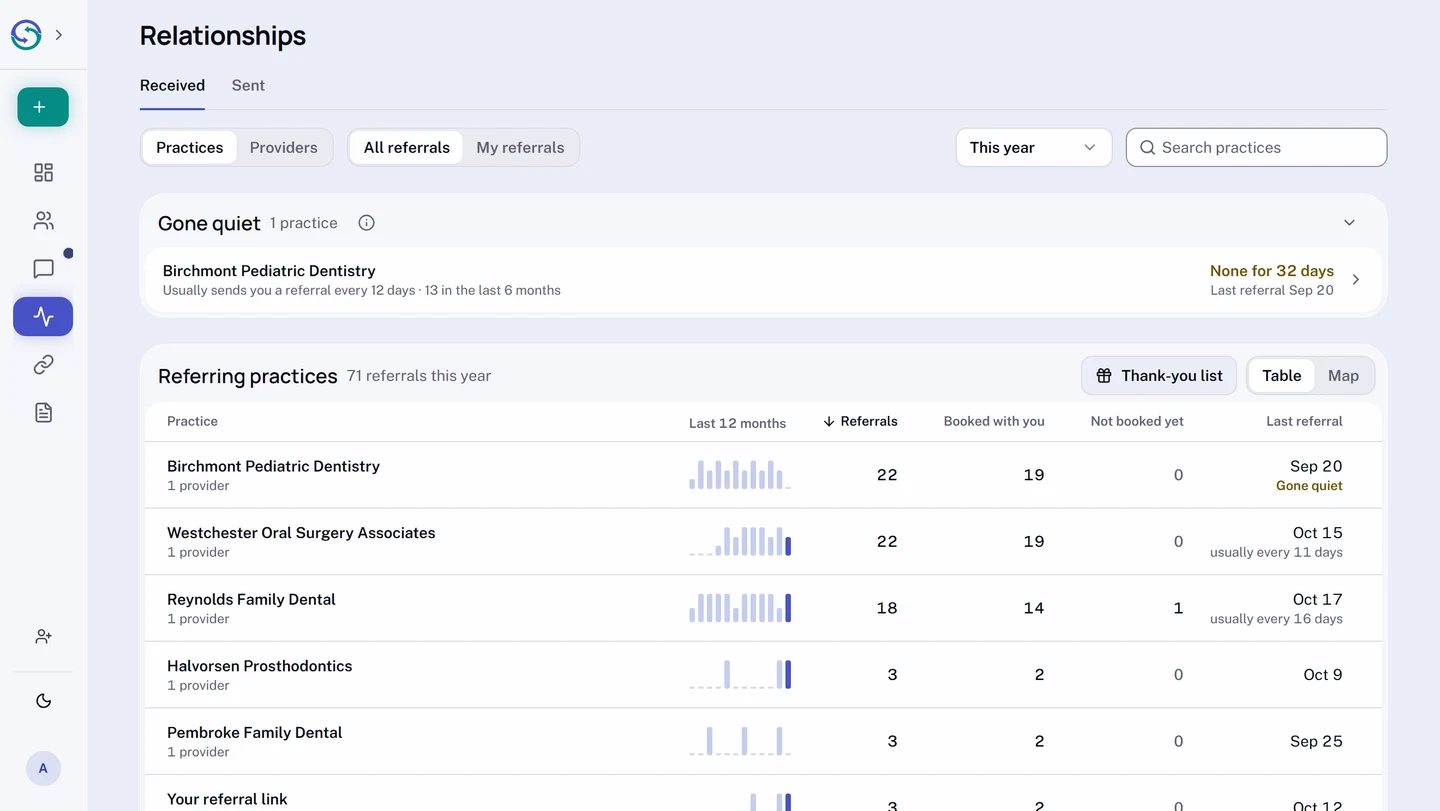
The practices that refer to you, with one gone quiet

See who sends you patients, and who went quiet.

Each referring practice's last twelve months, and a flag when one stops sending.

Also in Get referred

  • A QR code and an email signature link
  • Practices refer through your link, no account needed
  • A Monday email when a practice stops sending
  • A thank-you list of the practices that send to you
  • The form in your brand colors
Control

See who did what. And when.

Syncroly logs over 75 kinds of actions, each with who and when. You choose who sees which referrals.

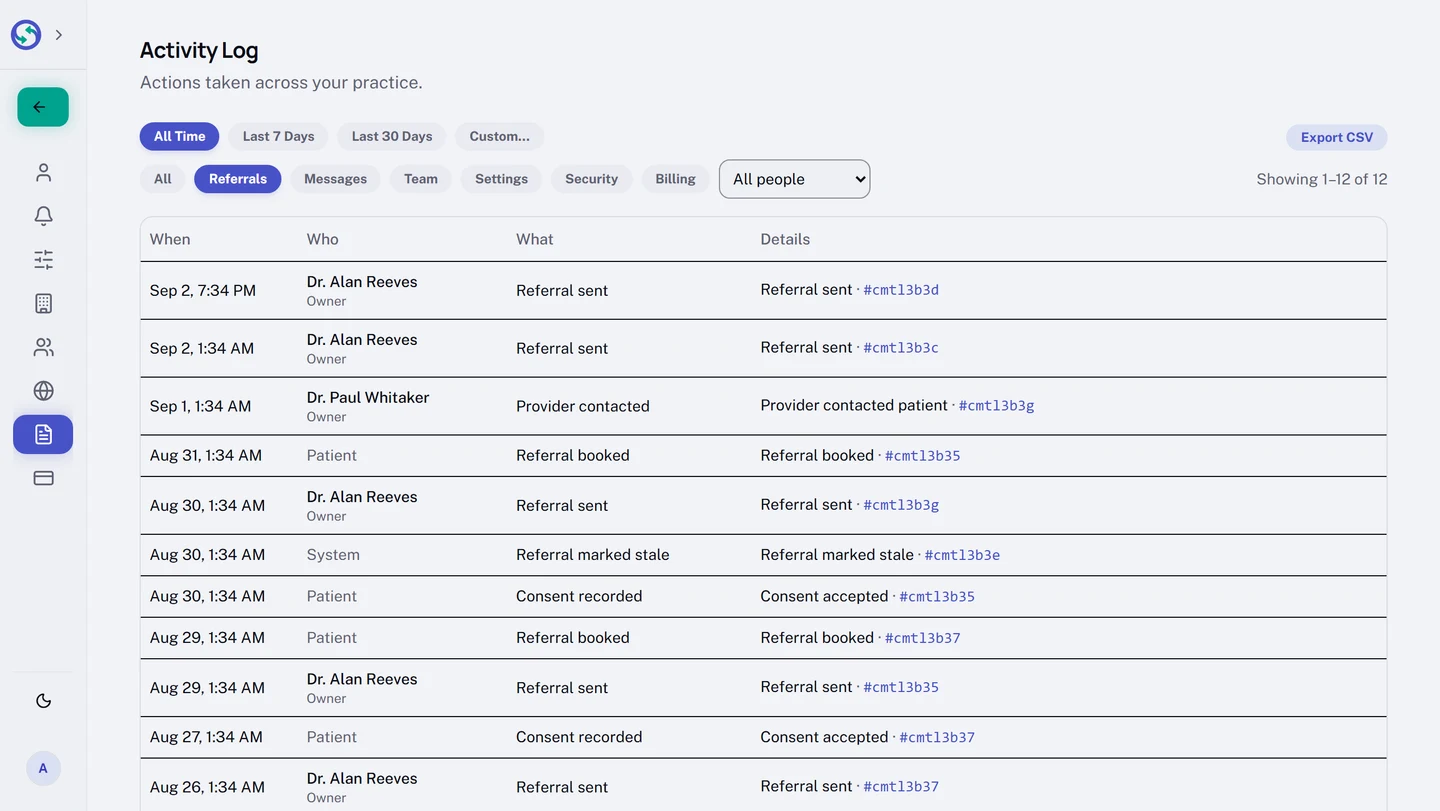
The activity log, filtered to referrals

Who did what, and when.

Referrals, messages, team, settings, security and billing, in one log you can filter and export.

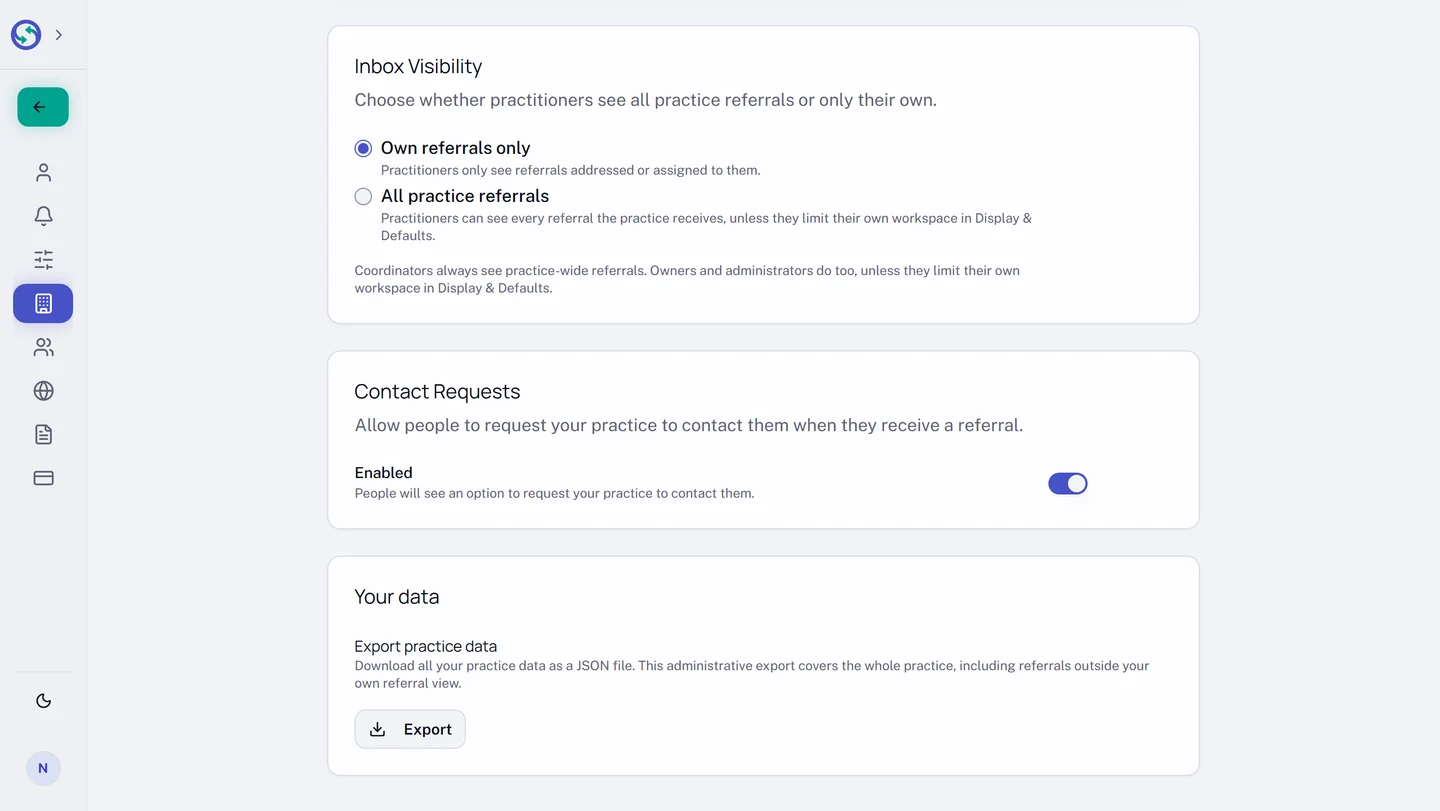
Inbox Visibility: practitioners see their own referrals, or all of the practice’s

Choose who sees which referrals.

Each provider sees the whole practice's referrals, or only their own.

Also in Control

  • What changed on a referral, field by field, and who changed it
  • Patient details stay hidden until the patient agrees
  • A provider reviews before a referral goes out
  • Up to three locations, and who works at each
  • Roles: Admin, Coordinator, Practitioner
  • Export the log, or all your practice's data
  • Patient details leave practices the patient didn't book with
  • A BAA in setup, on every plan
Security details

Every feature, free for 45 days. No credit card.

More referrals. Better care.

Compliance handled.

5-minute setup · No credit card · HIPAA-compliant